Restore a PostgreSQL Dump Using a SleakOps Job
Dump a PostgreSQL database and restore it into a SleakOps-managed RDS instance using a temporary Job Pod with a matching Postgres image.
Before starting, create a manual RDS snapshot. Follow AWS documentation on creating DB snapshots to do so.
Prerequisites
- A Cluster configured in SleakOps (Cluster docs)
- An Environment and Project already deployed
- The source database credentials and endpoint
- The destination RDS Dependency created in SleakOps
Let's Start
Step 1 — Generate the dump from the source database
Run this command from any machine that has network access to the source database. It prompts for the password:
pg_dump -h POSTGRESQL_ADDRESS -U POSTGRESQL_USERNAME -W -Fc -f dump.dump
For detailed options, refer to the SleakOps PostgreSQL dependency docs.
Step 2 — Scale up the destination RDS instance
Temporarily increase the RDS instance class to a larger size. This significantly reduces the time to load the dump. Do this early so the resize completes before you start the restore.
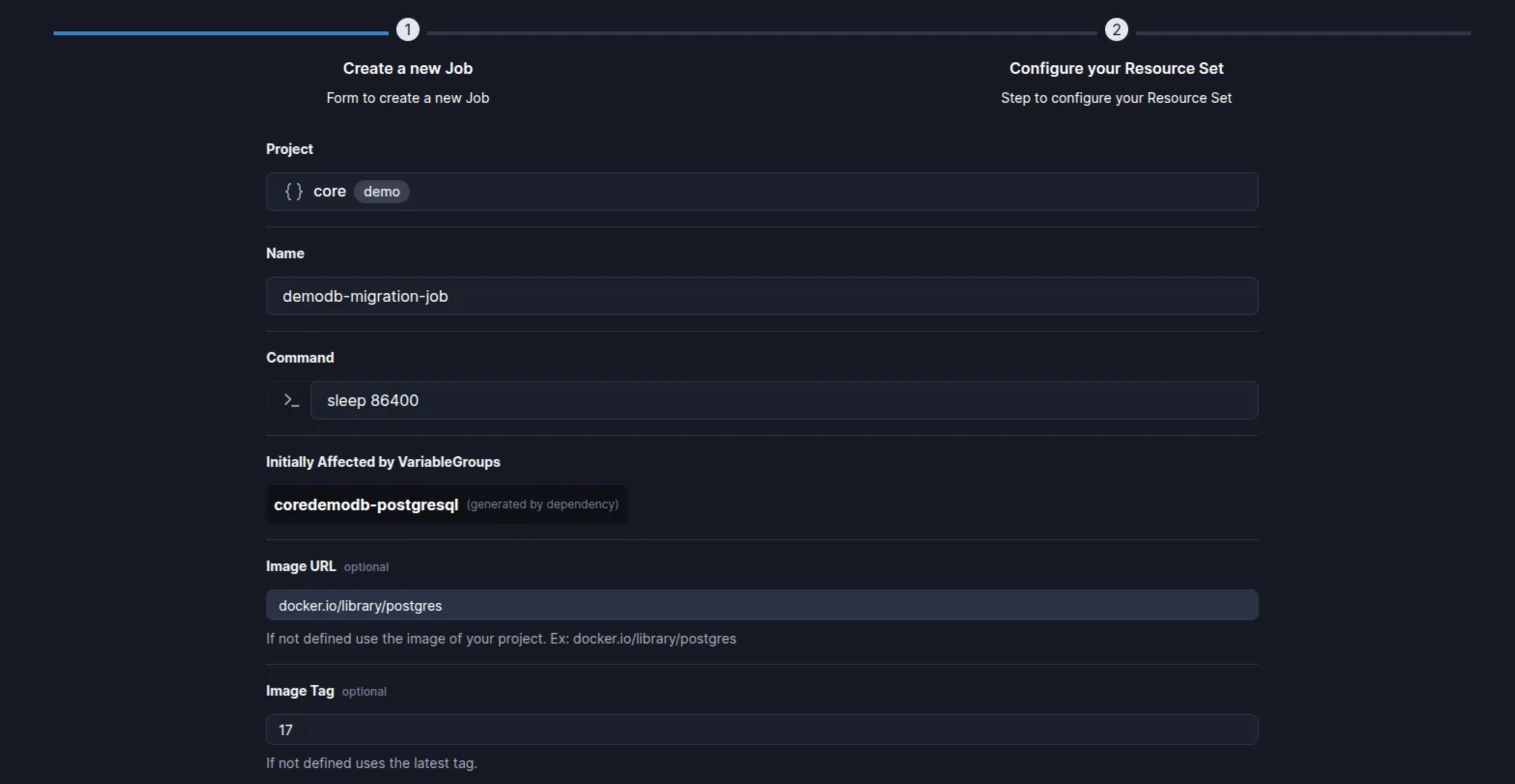
Step 3 — Create a Job in SleakOps
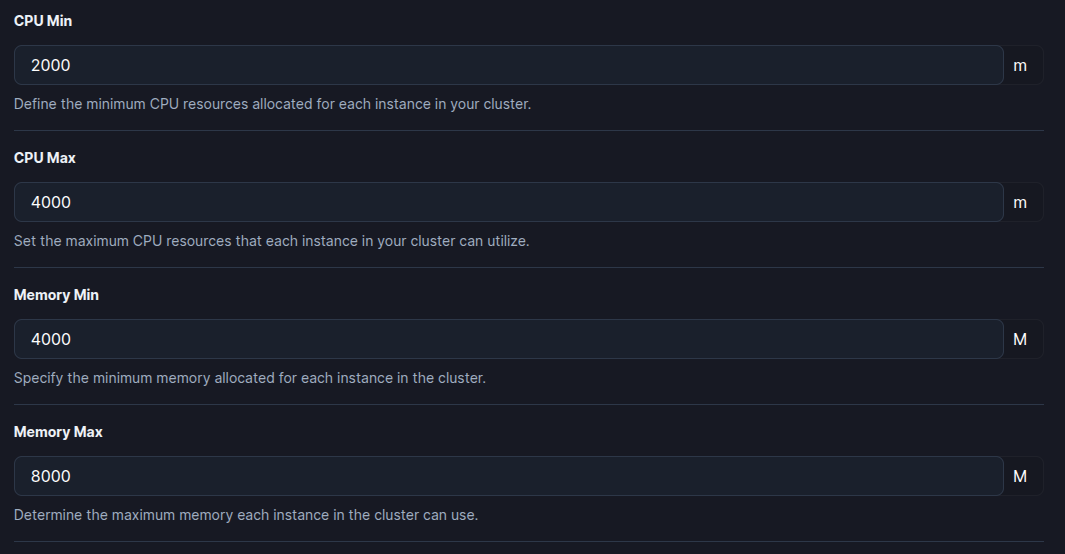
Create a Job using the same Postgres version as your destination RDS Dependency. This Job creates a Pod you will attach to for running the restore.
Example configuration:
- Image URL:
docker.io/library/postgres - Image tag:
17(match the version of your RDS)
Step 4 — Open the Pod terminal and run the restore
Connect to the terminal of the Pod created by the Job (for example, via Lens), then run:
pg_restore -j 8 -O -v -e --clean --if-exists --no-owner --no-privileges \
  --exit-on-error \
  -h POSTGRESQL_ADDRESS \
  -U POSTGRESQL_USERNAME \
  -W \
  -d POSTGRESQL_DATABASE \
  dump.dump
The -j 8 flag uses 8 parallel workers to speed up the restore. Adjust based on available CPU.
Step 5 — Scale the RDS instance back down
Once the restore is complete, revert the RDS instance class to its original size.