Connect to VPN with OpenVPN
Learn how to export your VPN profile as an OpenVPN .ovpn file and connect using any OpenVPN-compatible client, including mobile apps.
Prerequisites
- A SleakOps account with VPN access configured
- Your cluster's VPN enabled (VPN docs)
Let's Start
Get the .ovpn file
Follow the VPN connection guide to obtain your Pritunl link. The link will look like this:
pritunl://127.0.0.176/ku/bURgBN8W
To access the download page, modify the URL as follows:
- Replace
pritunl://withhttps:// - Replace
/ku/with/k/
The result should look like:
https://127.0.0.176/k/bURgBN8W
Navigate to that URL in a browser. You will see a page with download options:
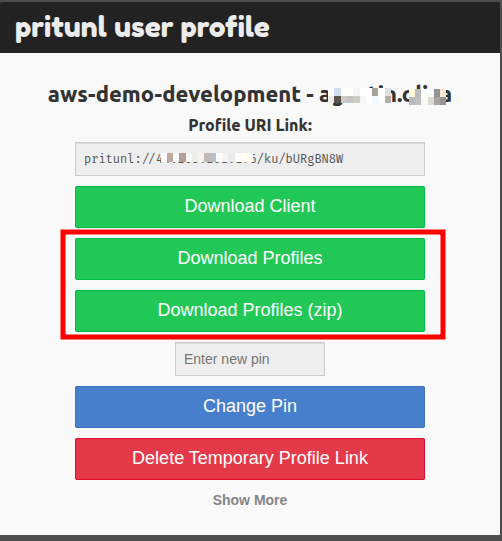
Click Download Profiles (tar) or Download Profiles (zip), then extract the archive to obtain the .ovpn file.
Configure OpenVPN on mobile
Download the OpenVPN Connect app or any other OpenVPN-compatible client for your mobile device.
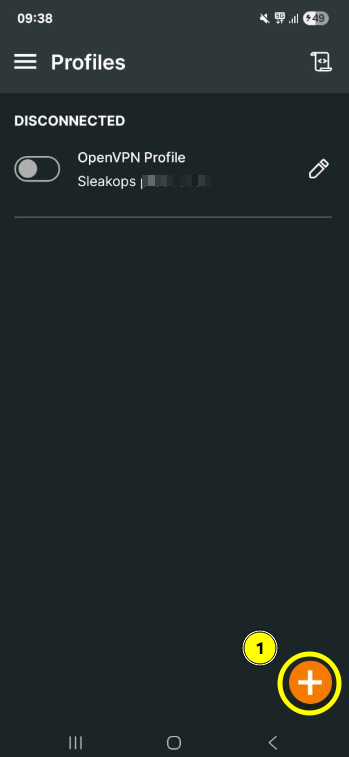
Open the app and add a new profile:
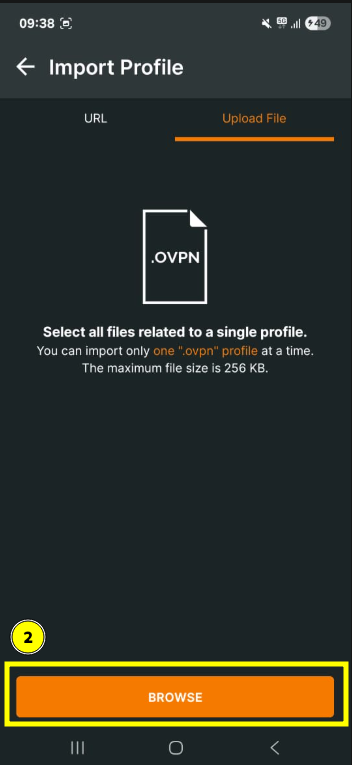
Locate the .ovpn file on your device:
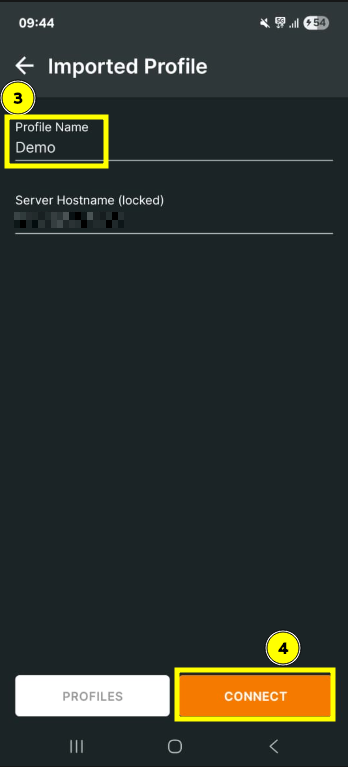
Give the profile a name:
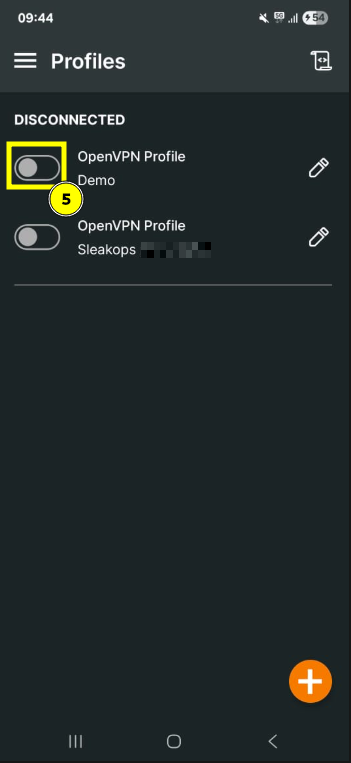
Use the toggle to connect to the VPN: