S3 Replication
Steps to configure the S3 replication service to replicate files from one bucket to another in different accounts.
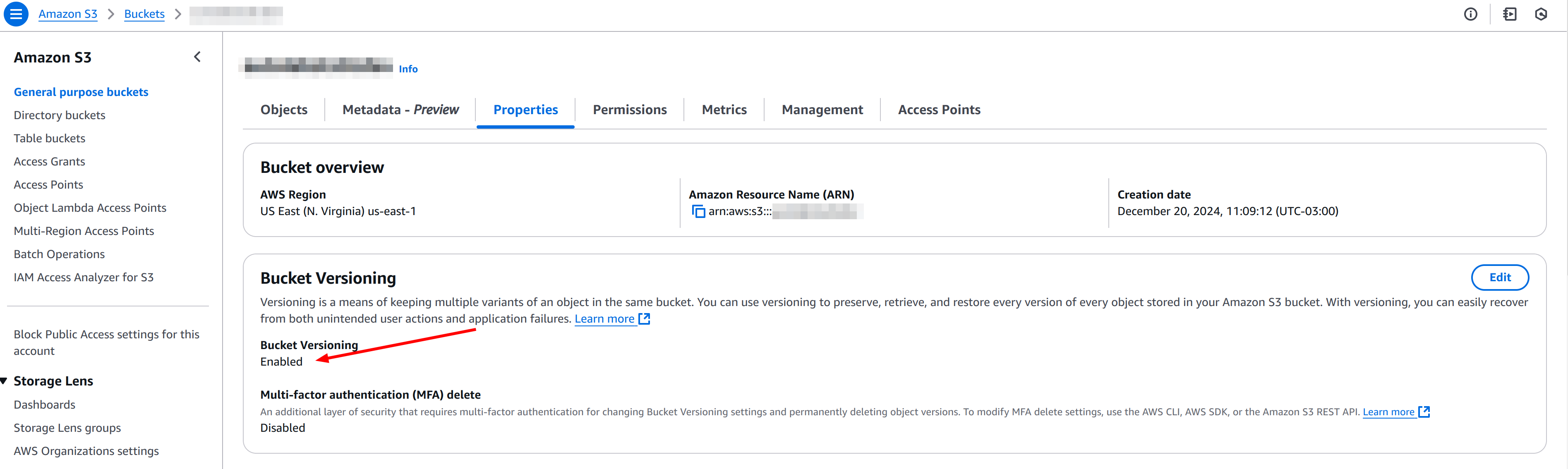
As a requirement, versioning must be active in both buckets.
1. Create IAM Role in the account where the source bucket is located
Trust Policy
You need a trust policy that allows the S3 service to assume the role:
{
  "Version": "2012-10-17",
  "Statement": [
    {
      "Effect": "Allow",
      "Principal": {
        "Service": "s3.amazonaws.com"
      },
      "Action": "sts:AssumeRole"
    }
  ]
}
Permissions Policy
A permissions policy that allows:
- Read objects and metadata from the source bucket (Account A).
- Put objects in the destination bucket (Account B).
{
  "Version": "2012-10-17",
  "Statement": [
    {
      "Sid": "ReadSourceBucket",
      "Effect": "Allow",
      "Action": [
        "s3:GetObject",
        "s3:GetObjectAcl",
        "s3:GetObjectVersion",
        "s3:GetObjectVersionAcl"
      ],
      "Resource": "arn:aws:s3:::<SOURCE_BUCKET_NAME>/*"
    },
    {
      "Sid": "WriteDestBucket",
      "Effect": "Allow",
      "Action": [
        "s3:PutObject",
        "s3:PutObjectAcl",
        "s3:ReplicateObject",
        "s3:ReplicateDelete",
        "s3:ReplicateTags",
        "s3:GetObjectVersionTagging",
        "s3:PutObjectVersionTagging"
      ],
      "Resource": "arn:aws:s3:::<DESTINATION_BUCKET_NAME>/*"
    }
  ]
}
2. Add policy to the destination bucket
In the destination bucket details, go to the permissions tab and add the following policy:
{
  "Version": "2012-10-17",
  "Statement": [
    {
      "Sid": "AllowReplicationFromAccountA",
      "Effect": "Allow",
      "Principal": {
        "AWS": "arn:aws:iam::<ACCOUNT_A_ID>:role/<ROLE_NAME>"
      },
      "Action": [
        "s3:PutObject",
        "s3:PutObjectAcl",
        "s3:ReplicateObject",
        "s3:ReplicateDelete",
        "s3:ReplicateTags"
      ],
      "Resource": ["arn:aws:s3:::<DESTINATION_BUCKET_NAME>/*"]
    }
  ]
}
3. Configure the replication rule in the source bucket
- In the source bucket details, go to the "Management" (or "Properties" depending on console version) tab and look for the Replication section.
- Create a new replication rule and define:
- Rule name: A descriptive name.
- Status: Enabled.
- Source bucket: The current bucket (already selected).
- Prefix/Filter: You can choose to replicate the entire bucket or only a specific prefix.
- Destination:
- Bucket: specify the ARN of the destination bucket in Account B.
- IAM role: choose the role you created in the first step, which allows replication.
Optional
- If the "Transfer to destination bucket owner" option is activated, the action must be added to both AllowReplicationFromAccountA (destination bucket policy) and WriteDestBucket (IAM role):
"s3:ObjectOwnerOverrideToBucketOwner"
Ways to copy existing files
There are 3 different ways to copy existing files from the bucket:
1. Do it along with replication
When activating replication, it gives you an option to copy all existing files.
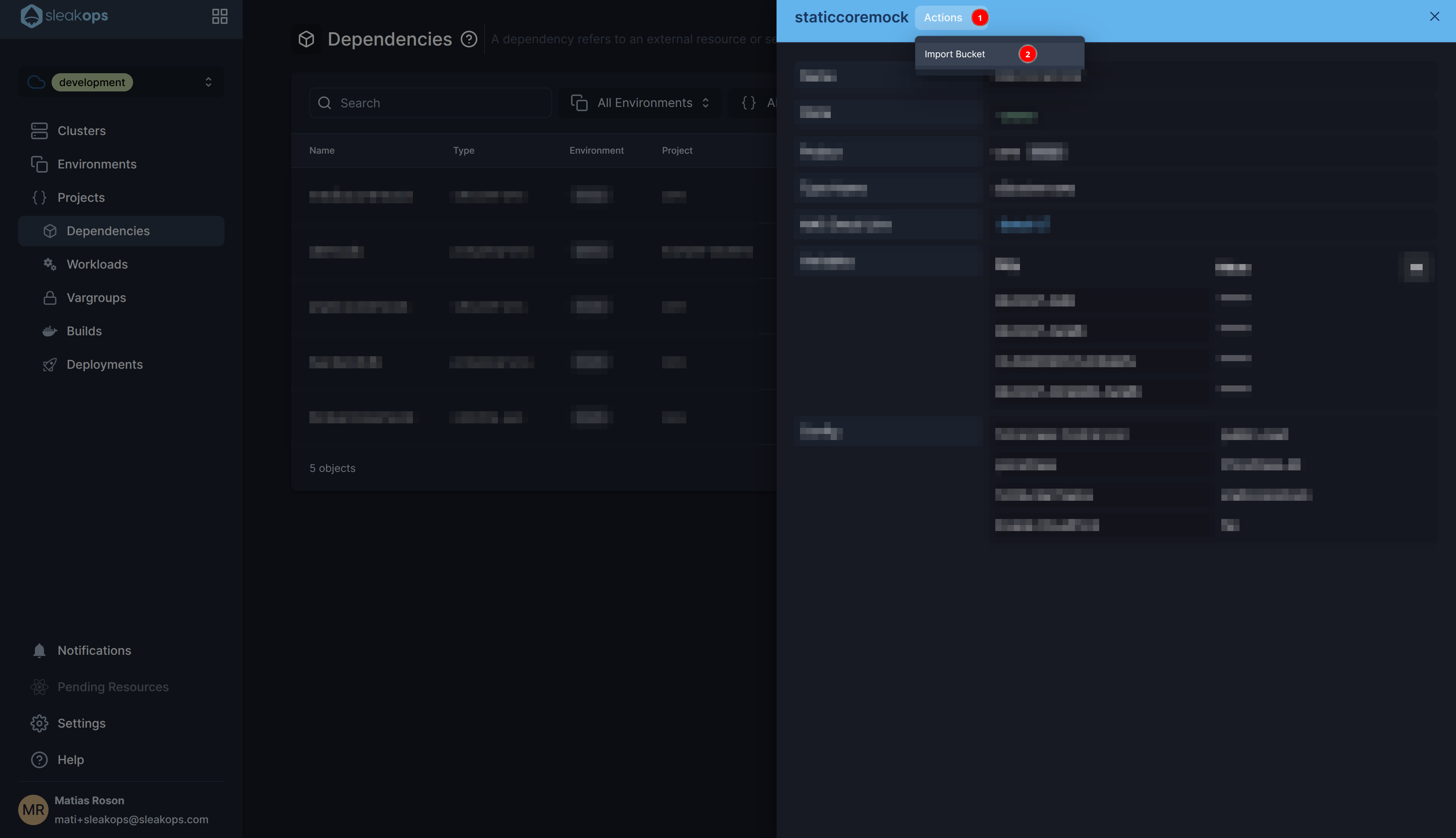
2. Use the S3 migration option provided by Sleakops
In the detail of the S3 type dependency, you can find this function that guides you step by step on what needs to be done.
3. Use the Batch Operation service
Once the replication rule is created, following these guides:
Add to the S3ReplicationRolePolicy the following actions:
"s3:PutObjectTagging"to"Sid": "WriteDestBucket""s3:GetObjectTagging"and"s3:ListBucket"to"Sid": "ReadSourceBucket"
{
  "Sid": "ReadReportBucket",
  "Effect": "Allow",
  "Action": ["s3:GetObject", "s3:GetObjectVersion"],
  "Resource": ["arn:aws:s3:::bucket-reports/*"]
}
And add the "s3:InitiateReplication" permission to both WriteDestBucket and SourceBucket.