Bitnami Image Deprecation — What to Do
Starting August 28, 2025, Bitnami changed how it distributes Docker images and Helm charts. This article explains what changed, what breaks if you don't act, and what to do in SleakOps.
What Changed
On August 28, 2025, Bitnami made the following changes to its image catalog:
- Existing images (all tags/versions) were migrated from
docker.io/bitnamito a "Bitnami Legacy" repository (docker.io/bitnamilegacy), which no longer receives updates or security patches. - The main
docker.io/bitnamirepository now only maintains a limited set of "hardened" images with only alatesttag, under the new Bitnami Secure Images (BSI) program — intended for development use. - Helm charts remain available as OCI artifacts but without image updates, unless you override the image references.
What Breaks Without Action
If your Helm charts reference Bitnami versioned images (e.g., postgresql:13.7.0), your cluster will fail to pull those images after August 28 with errors such as:
ImagePullBackOff
ErrImagePull
Immediate Fix (Stop the Bleeding)
The fastest fix is to update your chart dependencies to pull from bitnamilegacy and set the security flag that allows legacy images:
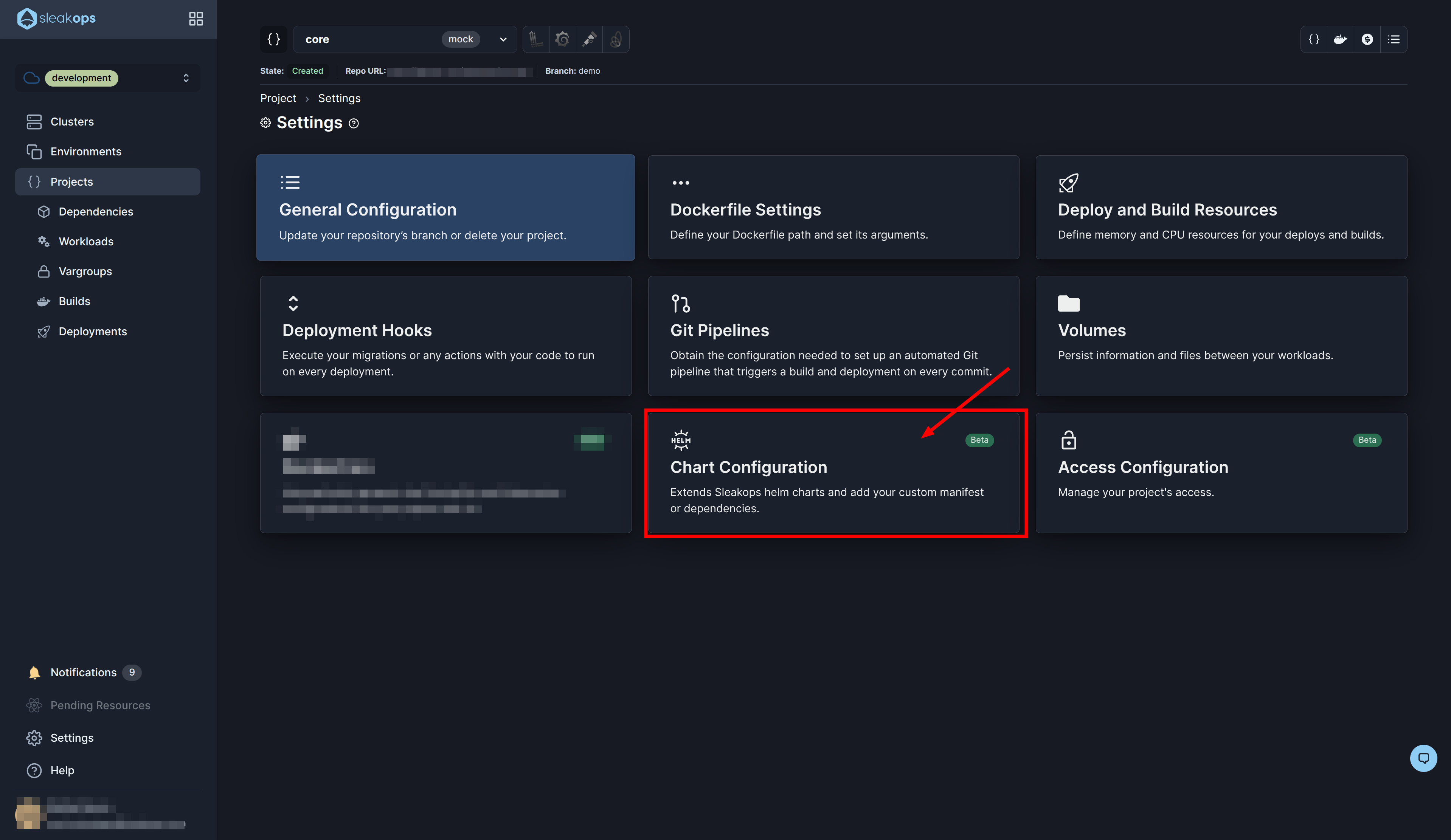
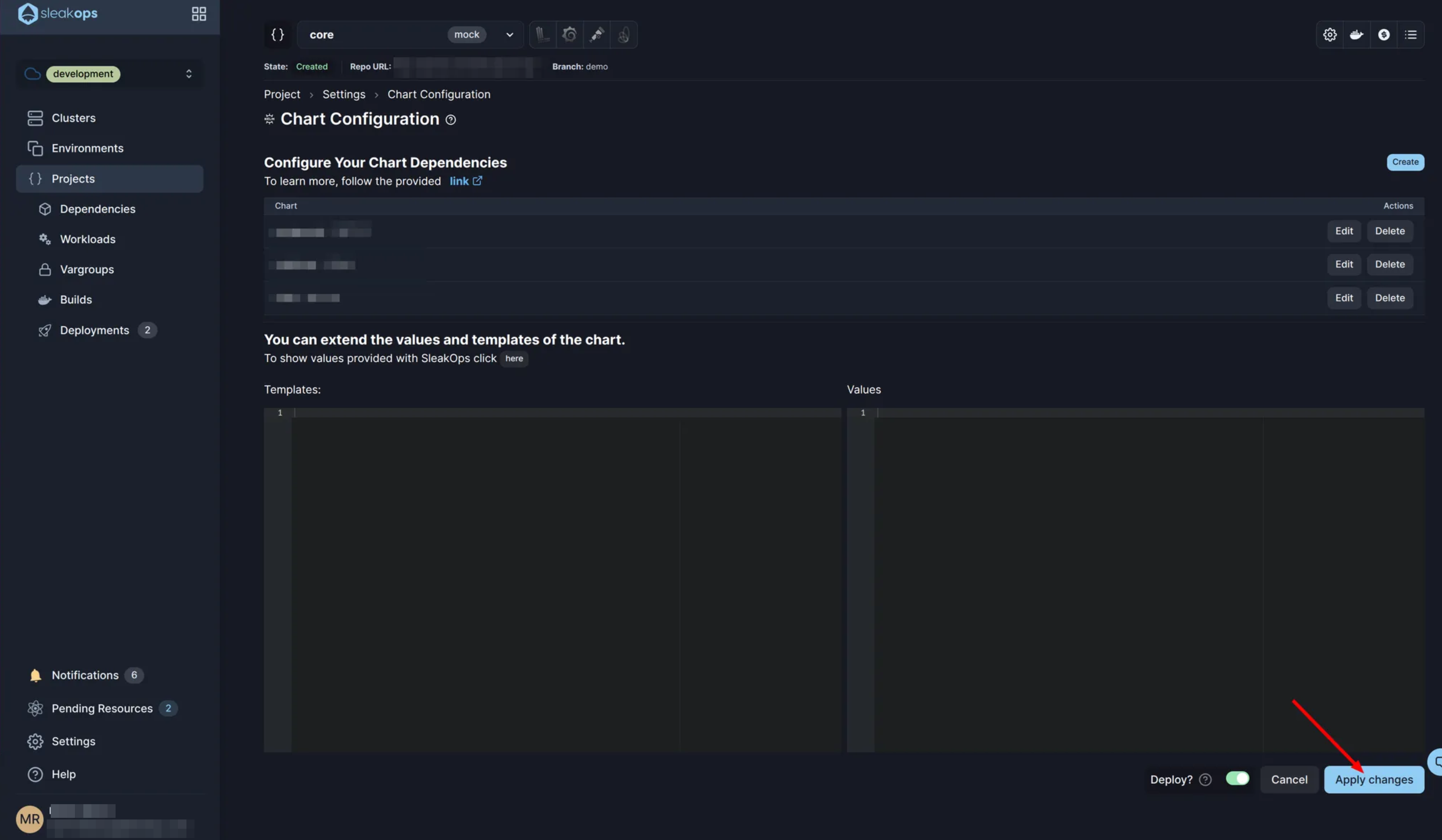
- In SleakOps, navigate to the Chart Configuration screen for the affected workload.
- Update the
image.repositoryto usedocker.io/bitnamilegacy/<image-name>instead ofdocker.io/bitnami/<image-name>. - Add
global.security.allowInsecureImages: trueto your chart values. - Click Apply changes to deploy.
SleakOps has already updated your chart values — image.repository is set to docker.io/bitnamilegacy/<image-name> and global.security.allowInsecureImages: true is added. You only need to trigger the apply from the chart configuration screen.
Using bitnamilegacy images is a temporary workaround. These images will not receive security patches. Plan a migration to alternative images (e.g., official upstream images or BSI-compliant images) as a follow-up action.
Long-Term Migration Path
- Identify all Bitnami images in use across your deployments.
- For each image, find the equivalent upstream or BSI image.
- Test the replacement image in a staging environment.
- Update chart values to reference the new image and remove the
allowInsecureImagesflag.