Cluster
On SleakOps, to deploy and run your applications effectively, Kubernetes clusters are essential.
A cluster is a group of interconnected computers or instances that work together as a single unit to perform specific tasks or run applications.
In the context of AWS Elastic Kubernetes Service (EKS), a cluster consists of one or more EC2 instances (Nodes) that form the foundation for running containerized applications using Kubernetes orchestration.
For more information on Kubernetes clusters, see the Kubernetes documentation .
FAQs
What are the benefits of having a cluster?
Clusters allow you to deploy multiple instances of the same application effortlessly, ensuring that if one instance fails, others can instantly take over. Additionally, clusters offer auto-scaling capabilities, automatically adjusting the number of worker nodes as traffic fluctuates, which ensures high availability and optimal performance.
They also provide an excellent way to isolate your production environment from your staging environment.
How SleakOps manage clusters?
SleakOps offers you the flexibility and control needed to create an EKS cluster that aligns precisely with your requirements.
To define how to create your infra, you can see: Designing your Infra: Single Schema Vs. Multi Schema
What happens when a Cluster is created on SleakOps?
SleakOps creates a group of Node Pools that will allow you to run your applications using Kubernetes orchestration based on your needs. See Node Pools.
What is Karpenter?
In the process of creating your EKS cluster, node provisioning is seamlessly managed by advanced Karpenter technology. Karpenter automatically provisions nodes with just the required resources and scales the cluster based on application demands, removing concerns about deprovisioning. As your workload changes, Karpenter adjusts nodes and resources dynamically, optimizing performance and cost. See Karpenter Web
How do I choose the right instance types for my cluster?
Choosing the right instance types depends on your application requirements, cost optimization goals, and availability needs. SleakOps provides different node pools (Spot, On-Demand, Reserved) to help you optimize costs while maintaining performance. For detailed guidance on instance types and cluster sizing, see Instance Types and Node Management.
How does SleakOps handle cluster updates and upgrades?
- We notify users about new version coming in approximatively 1 month in advance.
- Upgrade clusters for a group of selected customers.
- Upgrade all non-production flagged clusters.
- Upgrade all clusters.
How do I control cluster's expenses?
SleakOps allows you to see all your clusters expenses in one place, classified by account, resources, dates.
Access Clusters, select one and click the button: $
How do I monitor my cluster?
You can monitor your cluster's activity by accessing Clusters, and clicking into the button:
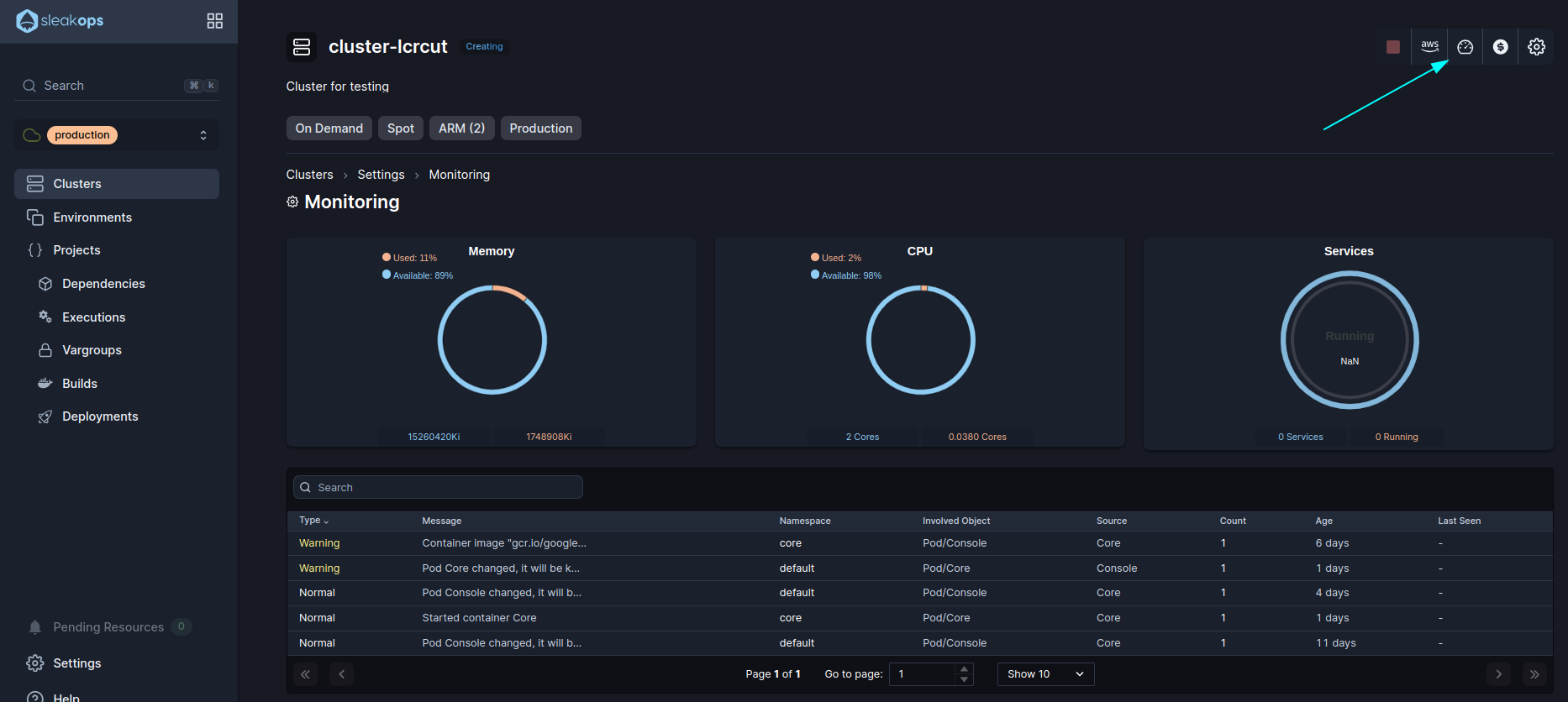
Can I connect a Staging service to a Production service if they are in different clusters?
Tenés razón, se me pasó destacar el título en la versión en inglés. Aquí tenés el punto 2 completo, con los títulos bien marcados para ambos idiomas y la lógica de cuentas corregida:
2. ¿Puedo conectar un servicio de Staging con uno de Producción si están en diferente clúster?
Versión en Español
Bajo un esquema de multi-cuenta, los entornos se encuentran en clústeres y cuentas de AWS separadas (Prod y Dev). En esta configuración, están totalmente aislados y no existe peering entre sus VPCs. Por el contrario, en caso de utilizar una cuenta única, ambos entornos conviven dentro del mismo clúster.
La buena práctica es que permanezcan desconectados para garantizar el aislamiento total de los datos. El uso de un mismo clúster o de un esquema único (single schema) conlleva riesgos críticos de seguridad:
- Corrupción de Datos: Un bug en el código de Staging podría ejecutar comandos accidentales (como
DROP TABLEoDELETE) que impacten directamente en la base de datos de Producción. - Compromiso de Credenciales: Si un atacante compromete el entorno de Staging (que suele tener políticas de acceso más flexibles), podría escalar privilegios y acceder a los secretos o llaves maestras de Producción.
2. Can I connect a Staging service to a Production service if they are in different clusters?
English Version
In a multi-account setup, environments reside in separate clusters and AWS accounts (Prod and Dev). In this configuration, they are completely isolated, and no VPC peering exists. Conversely, in a single-account setup, both environments coexist within the same cluster.
Best practice is to keep them disconnected to ensure strict security and data isolation. Sharing a cluster or using a single database schema introduces critical risks:
- Data Corruption: A bug in Staging code could trigger accidental commands (such as
DROP TABLEorDELETE) that directly impact live Production data. - Credential Compromise: If an attacker compromises the Staging environment (which often has more relaxed security policies), they could escalate privileges to gain access to critical Production credentials or master keys.
Lets create your first Cluster on SleakOps
Creating a cluster incurs costs on your AWS account, as the EKS service includes a fixed fee plus variable costs based on resource consumption.
1. Select the account under the cluster’ll be created.
For more information regarding accounts, see Accounts.
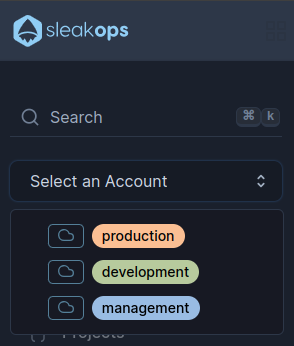
On the left pane, you will see a selector with the account names, select the one you'll use based on how you decide to manage your clusters and environments.
We suggest to move forward with a Multiple Schema configuration, that aligns with the best practices. To follow this schema select the development account to create the cluster for your staging environments, and the production account for the production cluster.
Check Designing your Infra: Single Schema Vs. Multi Schema for more information.
2. Navigate to create Cluster section
Into the Left Pane, access Clusters option and then, at the top right corner, click on the Create button.
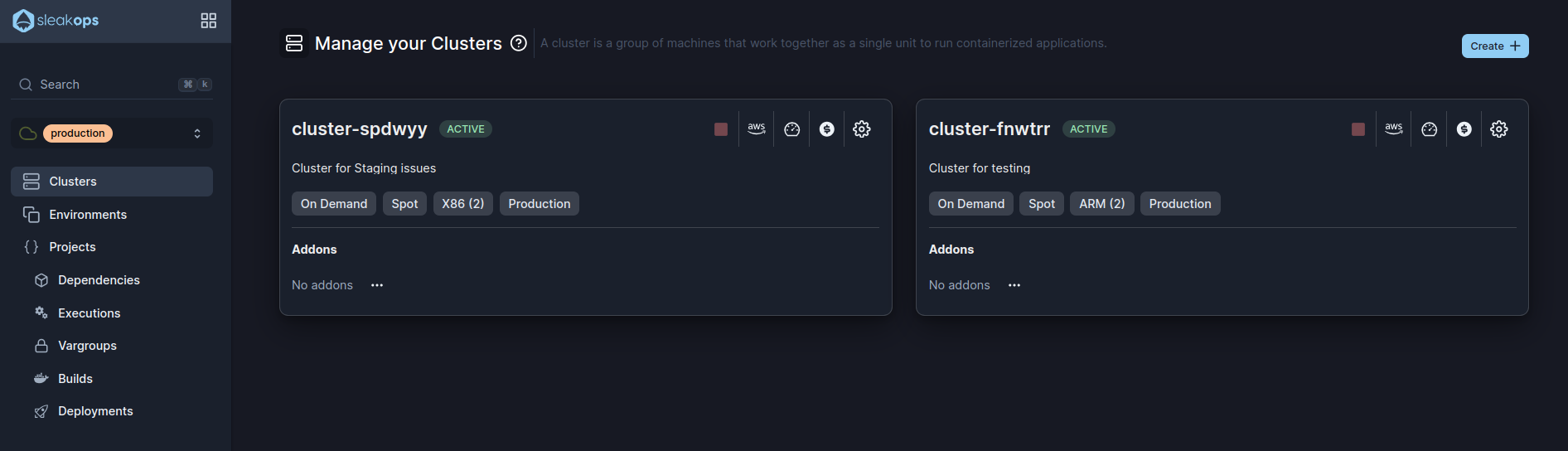
3. Set up your Cluster
With your Account selected, you will access the following form:
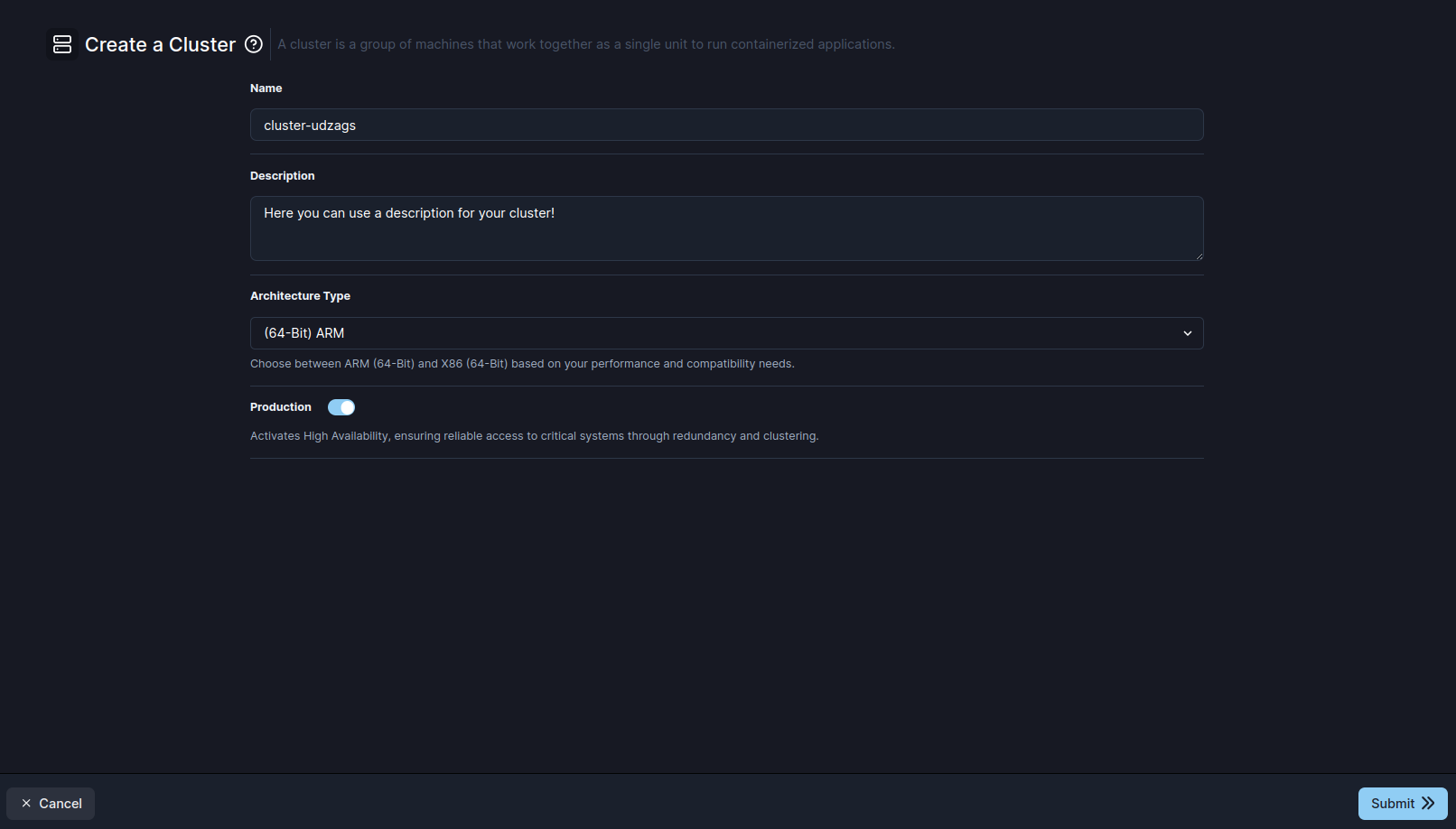
Here the parameters that SleakOps allows you to customize during the creation:
| Setting | Description |
|---|---|
| Name | Identify your cluster |
| Description | Optional space to describe what is included into this cluster. |
| Architecture Type | Select the architecture type to be used during the creation for your instances: (64-Bit) ARM or (64-Bit) X86, based on your performance and compatibility needs. Then you'll be able of creating new instances using a different architecture. |
| Production | High-Availability (HA) Configuration: When enabled, this setting transforms your cluster into a production-ready environment by distributing the EKS cluster across multiple Availability Zones (AZs). This provides redundancy and fault tolerance, ensuring uninterrupted operations even if one AZ experiences issues. Production clusters also benefit from enhanced monitoring, automated backups, and optimized resource allocation for critical workloads. |
Once you've completed the form, click on Submit in order to trigger the cluster creation into the selected account on AWS.
This process will create a Cluster with five node pools by default. See Node Pools.