Values
Every deployment renders your Project's Helm chart with a values tree: replicas, resources, image tags, hosts, probes and everything else that parameterizes the manifests. SleakOps generates those values for you, and lets you override them at three persistent levels — plus a fourth, ephemeral level at deploy time.
The override levels
Values are deep-merged level by level at deploy time. Each level overrides the one before it — the most specific scope wins:
| Level | Scope | Where you set it |
|---|---|---|
| 1 | Generated by SleakOps | Nowhere — derived from your Workload forms, Dependencies and Var Groups (read-only). |
| 2 | Project global | Project → Settings → Chart Configuration, the Values editor. |
| 3 | Workload override | The Workload's Advanced → Values tab (Workload override editor). |
| 4 | Deploy-time values (ephemeral) | The CLI: sleakops deploy -f values.yaml or --set key.path=value. |
Levels 2 and 3 are persistent: they apply to every subsequent deployment until you change them. Level 4 applies to one deployment only.
Unlike plain Helm, the level merge combines lists instead of replacing them — an override that redefines a list adds to the generated entries rather than dropping them.
The Workload Values tab
Open a Workload, switch to Advanced and select the Values tab:
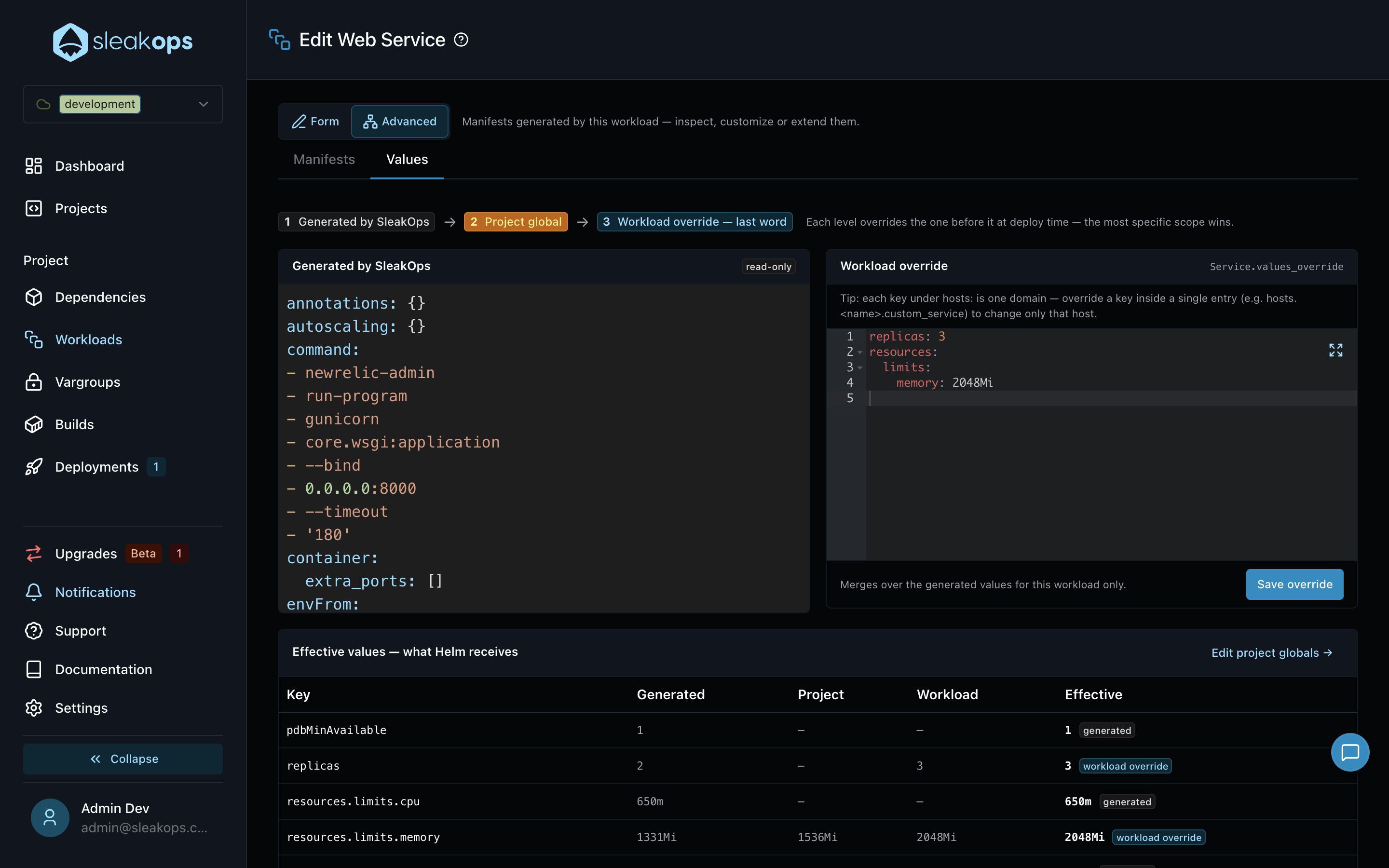
- Generated by SleakOps (read-only) — the values SleakOps derived for this Workload from its form: command, probes, resources, node selector, hosts, and so on.
- Workload override — a YAML mapping merged over the generated values, for this Workload only. Save it with Save override.
For Ingress values, each key under hosts: represents one domain. To tune a single host, override a key inside that entry — for example hosts.<name>.custom_service — instead of redefining the whole block.
Effective values
The Effective values — what Helm receives table at the bottom answers "what will actually deploy": one row per overridden key, with the value each level contributes and a badge naming the winning source.
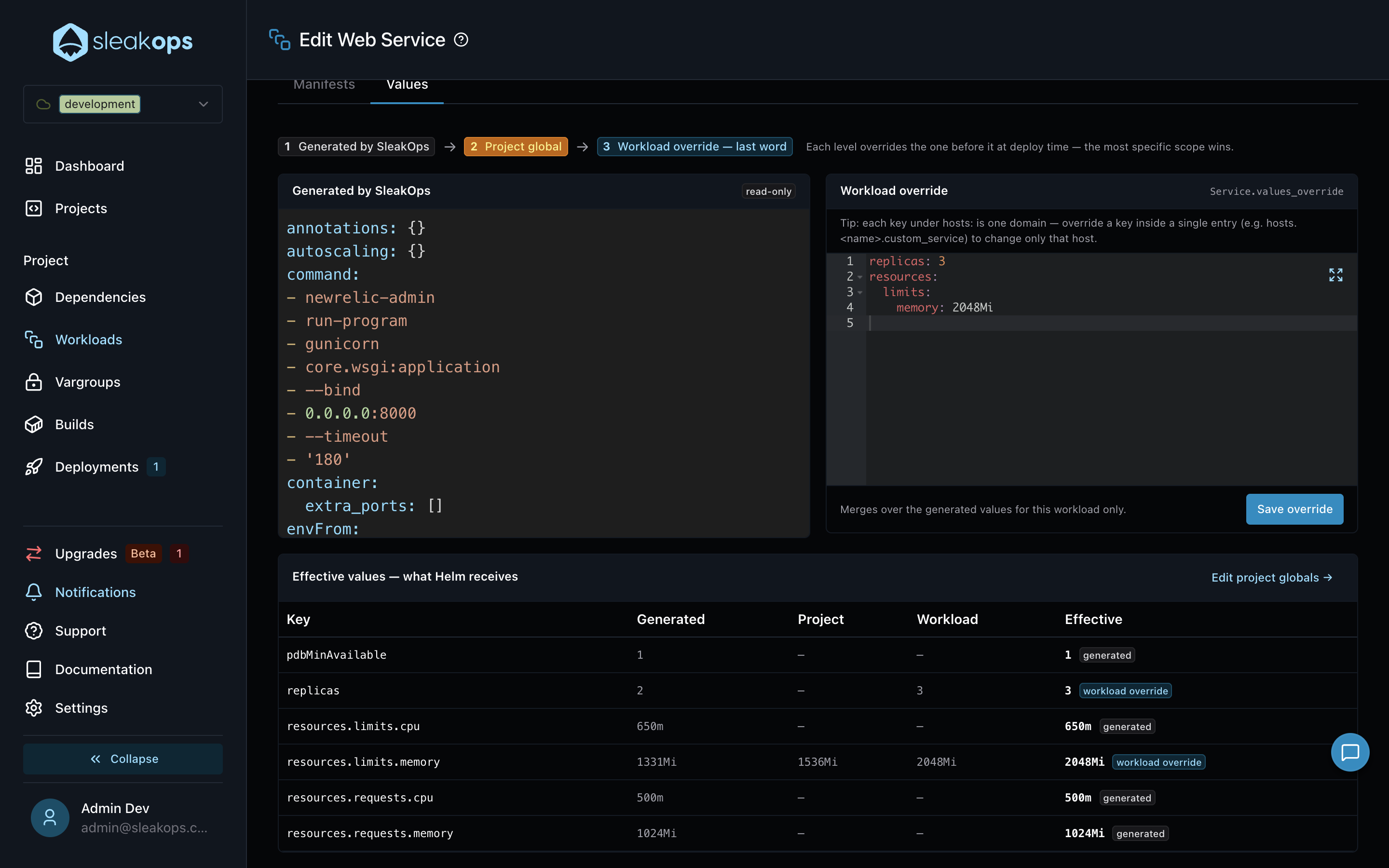
In the example above, resources.limits.memory is generated as 1331Mi, raised to 1536Mi by a project global, and finally set to 2048Mi by the workload override — the workload has the last word.
Project global values
Project-wide overrides live in Project → Settings → Chart Configuration, in the Values editor of the Extends Template & Values section. The deprecation notice shown on that section is about migrating free-form templates to Manifests — the Values editor remains the home of project globals. Nest the keys under the Workload's name (or under global: for chart-wide values):
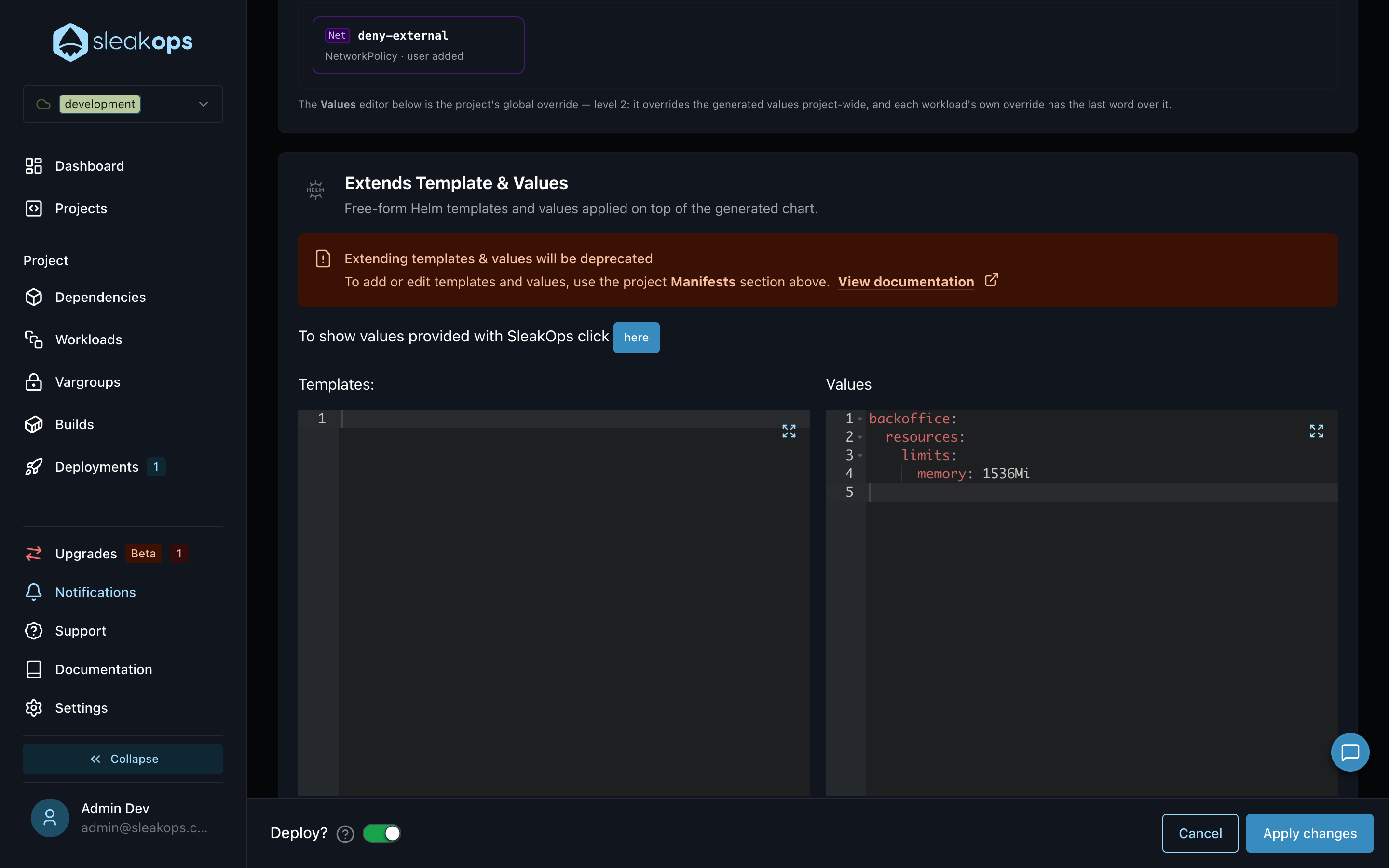
backoffice:
  resources:
    limits:
      memory: 1536Mi
Use project globals for values you want every Workload of the Project to inherit consistently; use workload overrides for the exceptions.
Deploy-time values (CLI)
For values that belong to a single deployment — a canary replica bump, a one-off feature flag — inject them from your pipeline with sleakops deploy -f values.yaml, --set key=value or --set-string key=value. They win over every persistent level, apply to that deployment only, and the next deploy without them reverts to the platform values.
See Injecting values on deploy for the full syntax and caveats.
FAQs
Which value wins if the same key is set at several levels?
The most specific one: deploy-time values beat the workload override, which beats the project global, which beats the generated value. The Effective values table shows the winner per key with its source badge.
Does saving an override trigger a deployment?
Saving a workload override registers a pending change — you deploy it when you publish. In the project's Chart Configuration, the Deploy? switch decides: on triggers a deployment on Apply changes, off leaves the update as a pending change.
How do I see the values a Workload will actually receive?
The Effective values table in the Workload's Values tab shows the merged result per key. The manifest Preview tab shows where each {{ .Values }} expression lands in the rendered template.
Should I put secrets in values?
No. Secrets belong in Var Groups, which are stored encrypted and injected as Kubernetes Secrets. Values are chart configuration, not a secrets store — and deploy-time --set/--set-string flags additionally end up in your shell history.