VariableGroups
A Vargroup in SleakOps is a resource that securely stores sensitive information (like database credentials) within your EKS cluster. It ensures that credentials and environment-specific variables are securely managed and easily accessible by your applications.
FAQs
Can I edit a VariableGroup created by SleakOps?
Yes, you can access and manage the Variable Group for your MySQL instance from the SleakOps console. You can modify values such as usernames, passwords, or any other environment-specific credentials.
How are Vargroups used by my applications?
Vargroups are securely injected into your application's environment when it is deployed. Your applications can access these credentials and other variables without exposing sensitive information in the code.
How does SleakOps ensure the security of Vargroups?
SleakOps securely stores vargroups as Kubernetes secrets inside your EKS cluster. Access is controlled via Kubernetes Service Accounts, ensuring that only authorized components can access the sensitive information.
Can I delete a Variable Group?
Yes, they can be deleted or updated as needed. However, be cautious when deleting them, as it may disrupt your application.
Can I configure an environment variable that applies only to a worker and not to the entire app?
Yes, it's possible. Although global environment variables affect all deployments in the project, SleakOps allows you to create Vargroups with workload scope, which lets you assign variables specifically to a type of workload (for example, only to your workers) without impacting the rest of the application.
Steps: Create a new Vargroup, select the workload scope instead of global, associate it with the corresponding worker, and add the variables you need. Those variables will only affect that workload.
What is the difference between a Global and a Workload-Scoped Vargroup?
- Global: Available to all workload within the namespace. It is created without selecting a specific workload. To create them select “global”
- Workload-Scoped Variable Group: Only applies to the selected workload within the project and environment. It overrides global var group values if they have the same key.
What happens if there are duplicate keys in different Vargroups?
If duplicate keys exist across different var groups:
- If the key exists in both a global and a workload-scoped var group, the workload-scoped value takes precedence.
- If two global vargroups have the same key, the most recently created one will be used.
What is the difference between ENV and FILE type Vargroups?
- ENV: Variables are injected as environment variables into your workload containers. Each key-value pair becomes an environment variable accessible at runtime.
- FILE: Variables are mounted as files inside your workload containers. Each key-value pair creates one file at the configured mount path. The Vargroup name becomes a subdirectory, each key becomes a filename, and each value becomes the file content.
How does Replicate To work?
The Replicate To option allows you to select additional project environments where the Vargroup's Kubernetes Secret will also be created. This makes the variables available across multiple namespaces without having to recreate the Vargroup manually in each environment.
Create a VarGroup
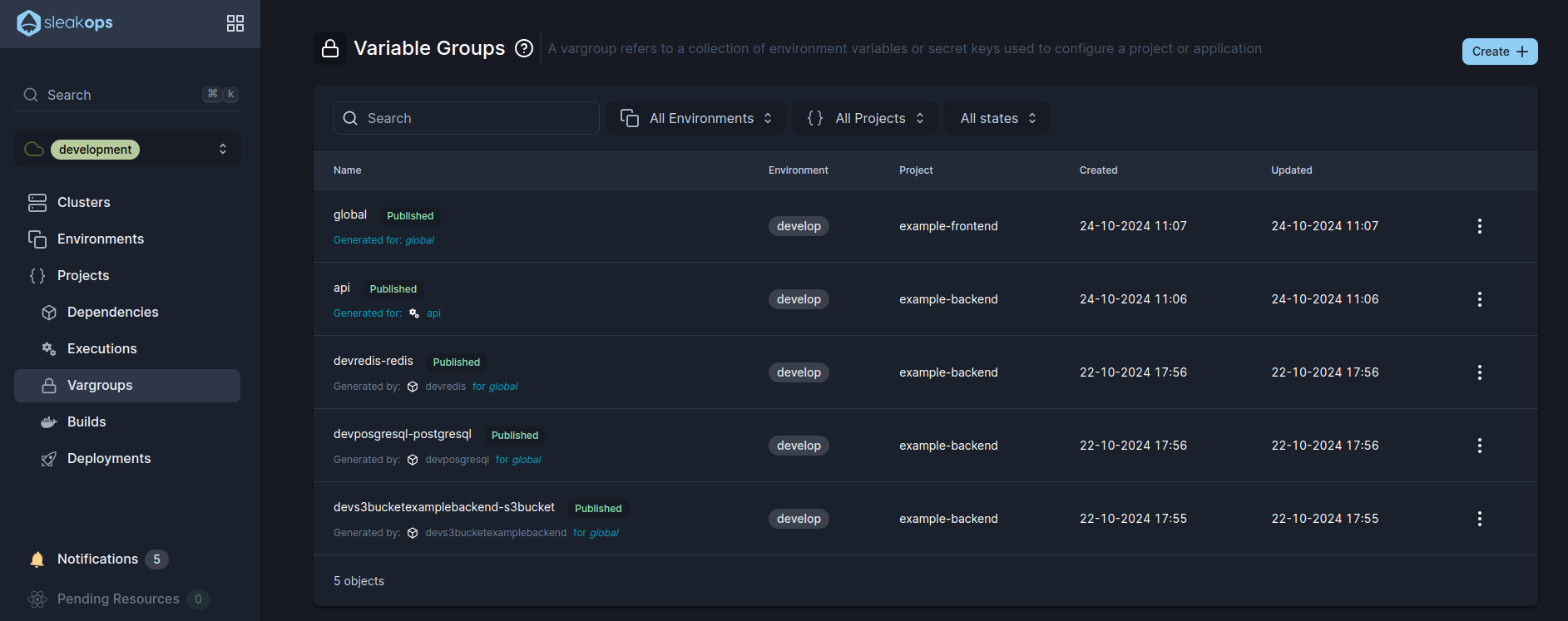
1. Navigate to create Vargroup section
Into the Left Pane, access Vargroups option under Projects and then, at the top right corner, click on the Create button.
2. Select a Project and complete the needed attributes
Complete the following attributes to create a new vargroup:
| Attribute | Description |
|---|---|
| Project | The specific application or workload within SleakOps. Determines the scope of the variable group. |
| Workload | A microservice or component within the project. If selected, the vargroup is limited to it; otherwise, by selecting global it'll be accessible into the namespace. |
| Name | A unique identifier for the var group, used to differentiate it within the project. Should be descriptive of the group's purpose. |
| Deploy | Enable this option if you want SleakOps to automatically publish and deploy your workloads into the project. |
| Replicate To | Optional. Select additional project environments where this Vargroup's Kubernetes Secret will also be created, making its variables available across multiple namespaces. |
If you choose to add the argument using the text option: Each argument should be added on a new line, separated by an equal sign (=), with no extra spaces.
ARGUMENT_NAME = VALUE ARGUMENT_TWO = VALUE ARGUMENT_ONE = VALUE
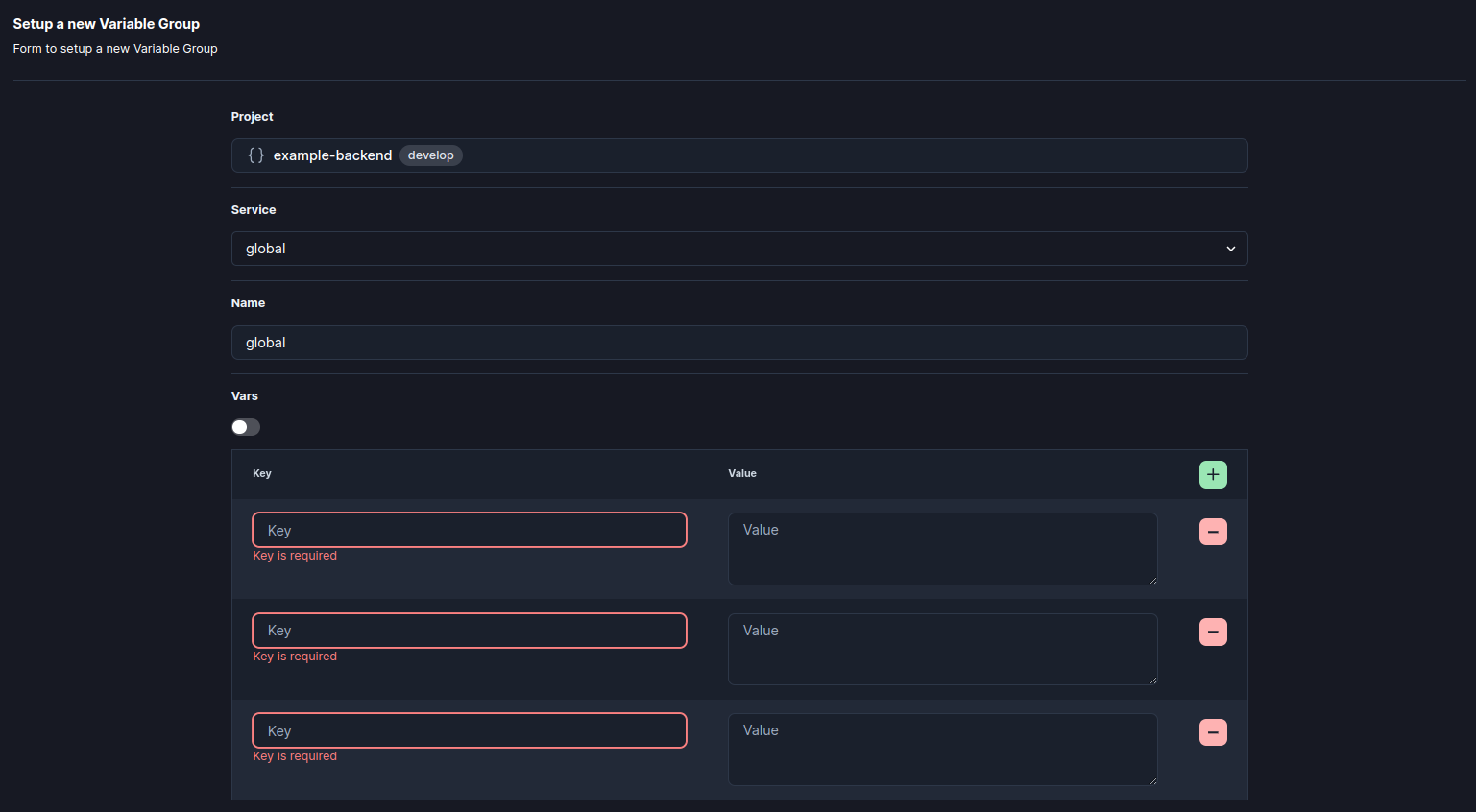
Submit to create and Deploy your vargroup.
3. Select a Type and configure your variables
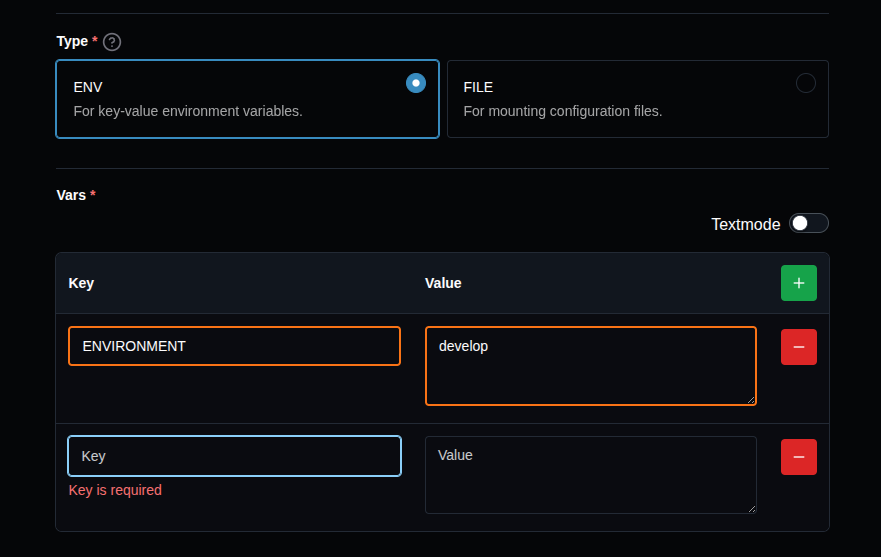
The Type field defines how the Vargroup is consumed by your workloads. Select the type that fits your use case:
ENV — Key-Value Environment Variables
Select ENV to inject variables as environment variables into your workload containers. Add key-value pairs using the form, or toggle Textmode to enter them as KEY=VALUE lines.
FILE — Mounted Configuration Files
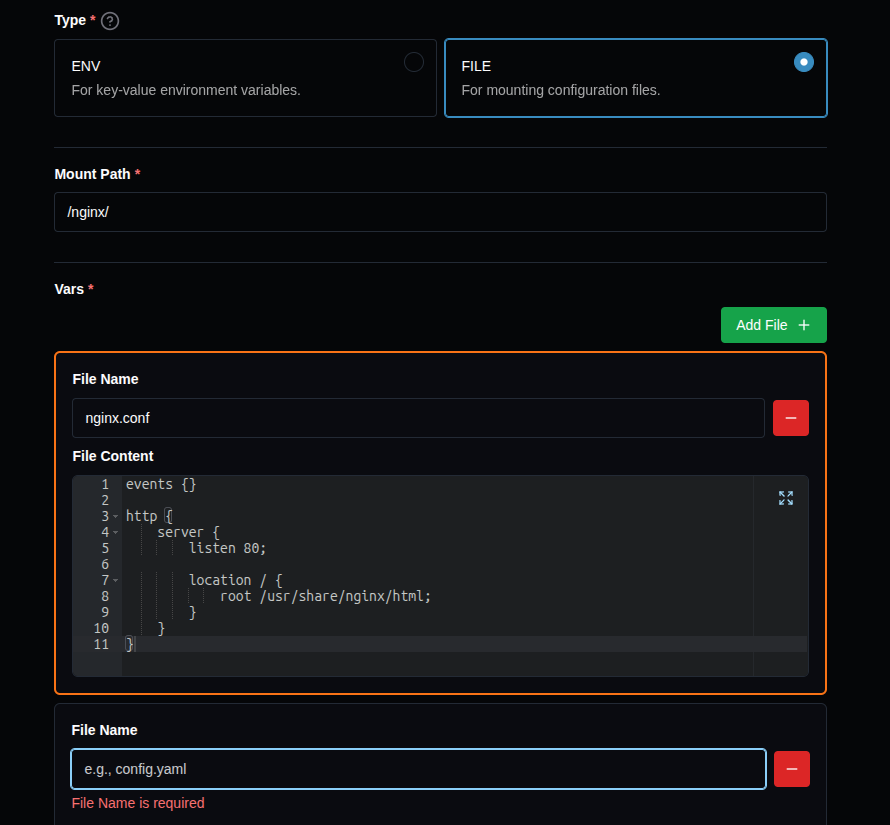
Select FILE to mount variables as files inside your workload containers. When using this type, you must also provide a Mount Path — the directory where the files will be mounted.
Each key-value pair creates one file following this structure:
- The Mount Path is the base directory (e.g.,
/nginx/). - The Vargroup name becomes a subdirectory inside it (e.g.,
my-config). - Each Key becomes a filename (e.g.,
nginx.conf). - Each Value becomes the file content.
Example: with Mount Path /nginx/, Vargroup name my-config, and a key nginx.conf, the file will be mounted at /nginx/my-config/nginx.conf with the value as its content.