Activity Log
The Activity Log provides a complete audit trail of all actions performed by users on the platform. It records every create, update, and delete operation across all resources, allowing you to track who did what and when.
FAQs
What actions are recorded in the Activity Log?
The Activity Log records all three types of operations performed on platform resources:
- Create — A new resource was created.
- Update — An existing resource was modified.
- Delete — A resource was deleted.
What resources are tracked?
The Activity Log tracks actions on all major platform resources, including:
- Clusters
- Projects
- Environments
- Services
- Jobs
- Deployments
- Dependencies
- Variable Groups
- Domains
- Node Pools
- Volumes
- Providers
- Users
Can I navigate to the resource from the Activity Log?
Yes. Clicking on the resource icon in the Name column takes you directly to that resource's detail page. If the resource has been deleted, the link is disabled and navigation is not available.
Can I filter the Activity Log?
Yes. You can filter by user, action type (Create, Update, Delete), resource type, and date range. See the Filtering the Activity Log section for details.
Accessing the Activity Log
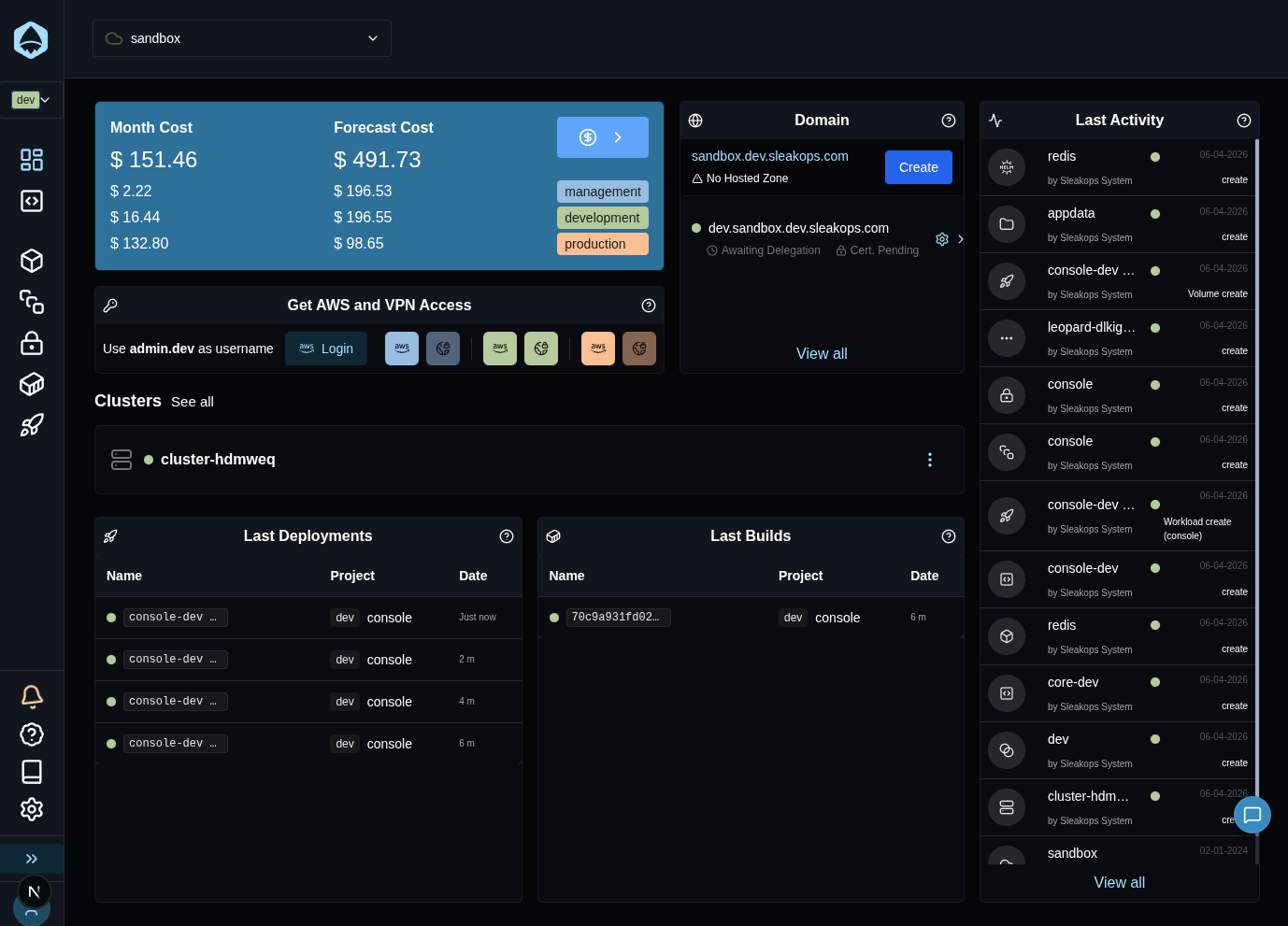
A summary of the most recent platform activity is visible on the main Dashboard as the Last Activity card. It shows the last actions. Click View all at the bottom of the card to open the full Activity Log page.
Understanding the Activity Log Table
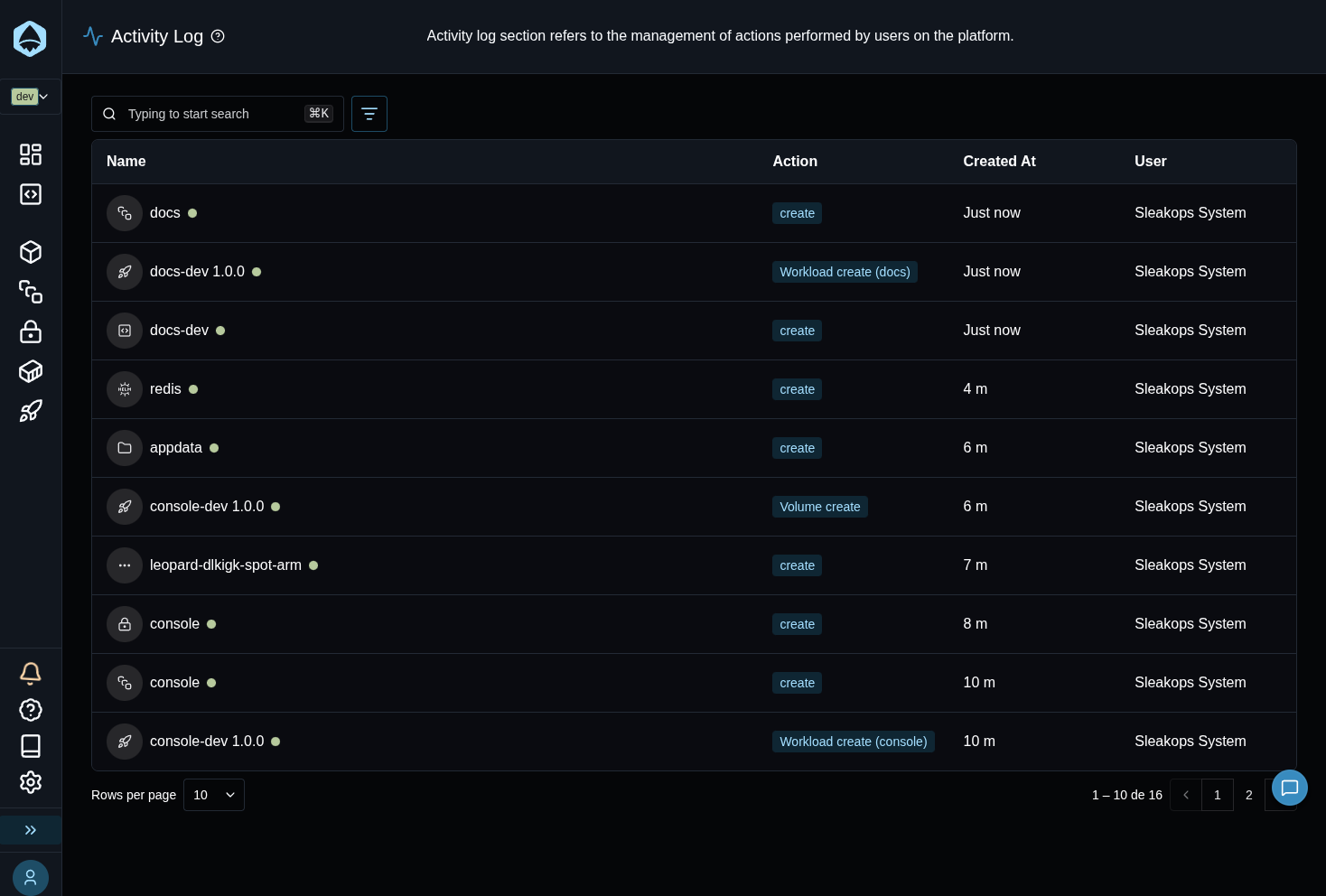
The table displays four columns:
| Column | Description |
|---|---|
| Name | The name of the affected resource, along with an icon representing its type and the account it belongs to. Click the icon to navigate to the resource (unavailable for deleted resources). |
| Action | A badge showing the type of operation: Create, Update, or Delete. |
| Created At | The relative time when the action occurred. Hover over it to see the full date and time. |
| User | The full name of the user who performed the action. |
Filtering the Activity Log
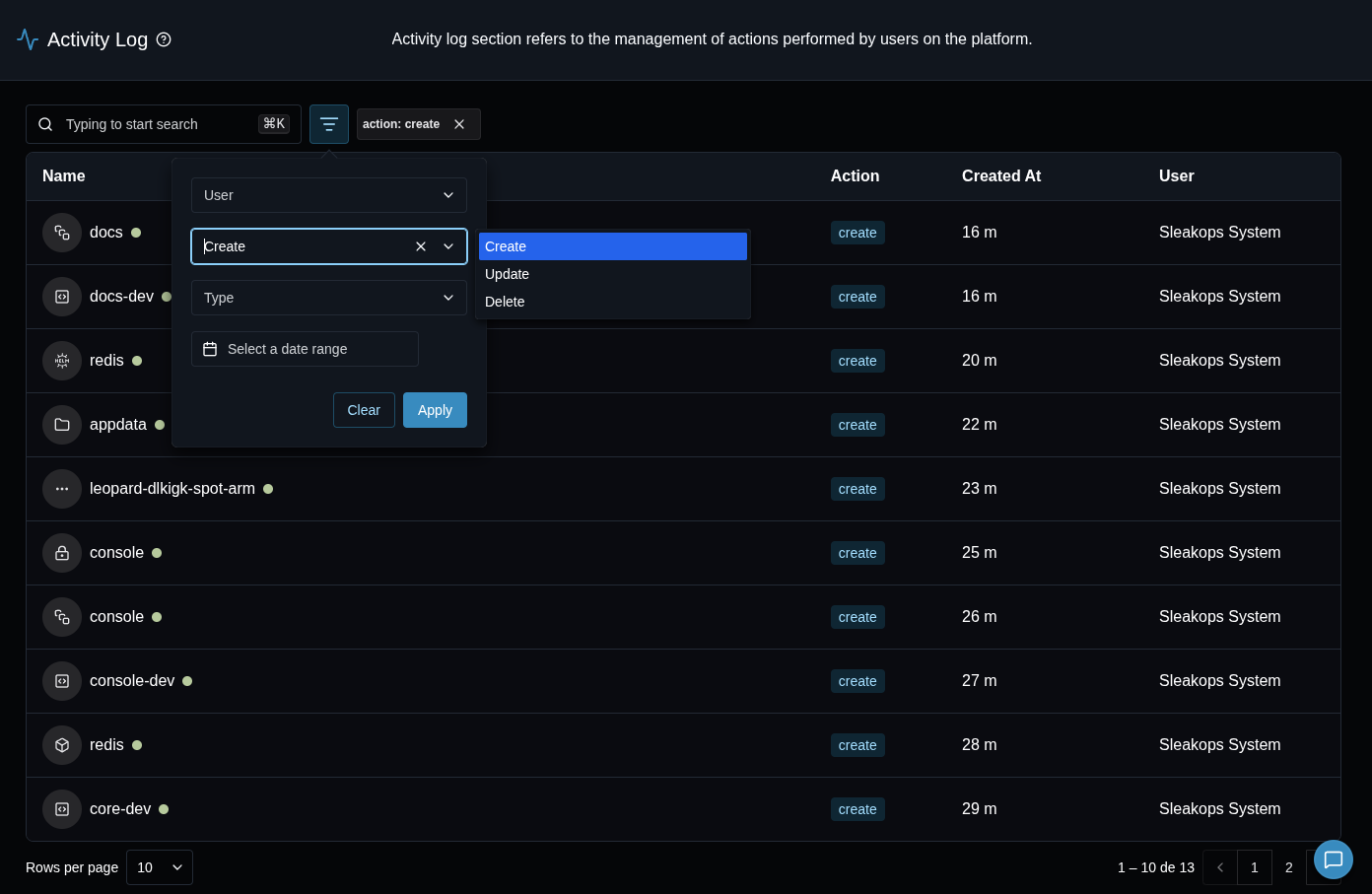
Use the search input and filter bar at the top of the page to narrow down the results. Filters can be combined.
| Filter | Description |
|---|---|
| Search | Free-text search by resource name or action type. |
| User | Show only activities performed by a specific user. |
| Action | Show only Create, Update, or Delete actions. |
| Type | Show only activities for a specific resource type (e.g., Cluster, Service, Deployment). |
| Date Range | Show only activities within a specific time period. |