Dependencies: Integrating Databases, Caching, and Messaging Services
A Dependency in the context of SleakOps refers to any external infrastructure or service that your application relies on to function effectively. These dependencies include a variety of AWS services and resources that your application integrates with to enhance its capabilities and performance.
FAQs
What types of dependencies are included in SleakOps?
Here’s the updated list of dependencies included in SleakOps:
- Databases
- Amazon RDS: Managed relational databases such as MySQL, PostgreSQL, and others.
- Caching Services
- Amazon ElastiCache for Redis: In-memory data store for caching frequently accessed data.
- Amazon ElastiCache for Memcached: In-memory caching service for improved performance and reduced database load.
- Object Storage
- Amazon S3: Scalable and secure object storage for storing and retrieving any amount of data.
- Search and Analytics
- Amazon OpenSearch: A powerful search and analytics engine for exploring and visualizing data, enabling real-time insights and decision-making.
- Message Queuing
- Amazon SQS: Fully managed message queuing service that enables you to decouple components and enhance application scalability and reliability.
- RabbitMQ: A widely used open-source message broker that facilitates reliable messaging and integration between application components.
These dependencies integrate seamlessly with SleakOps, providing a comprehensive suite of AWS and open-source services to enhance your application's functionality, performance, and scalability.
Can I modify dependency configurations after initial setup?
Yes, you can update dependency configurations at any time. Make sure to save any changes in the SleakOps interface to apply the updates.
Can the same dependency be used for multiple Projects?
At the moment this is not possible, you need one dependency per each project.
How do I delete a Dependency?
By accessing the Dependency Listing and clicking the delete option.
What happens when I delete a dependency?
By deleting a dependency, SleakOps will remove all the information related to it and all what is related to it will stop working. To solve that SleakOps create a Deployment in PENDING_APPROVAL status, that must be run manually ASAP to stop the downtime. In case you delete a database, SleakOps will generate a final snapshot before its deletion.
Lets add a Dependency for your Project
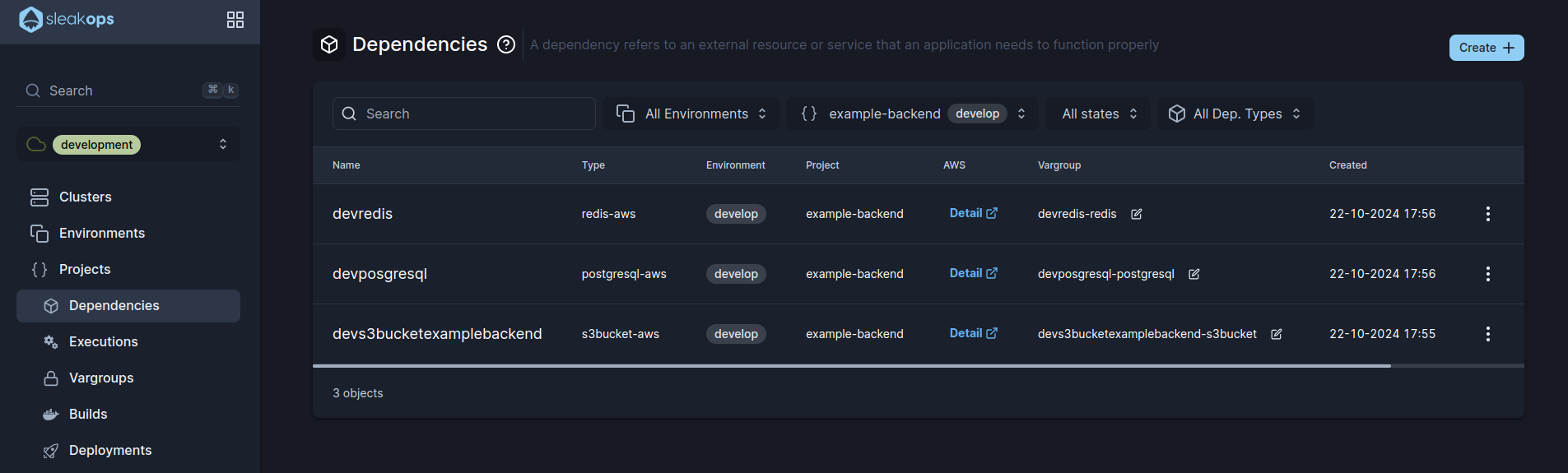
1. Navigate to create Dependency section
Into the Left Pane, access Dependencies option and then, at the top right corner, click on the Create button.
2. Select the kind of dependency you want to create
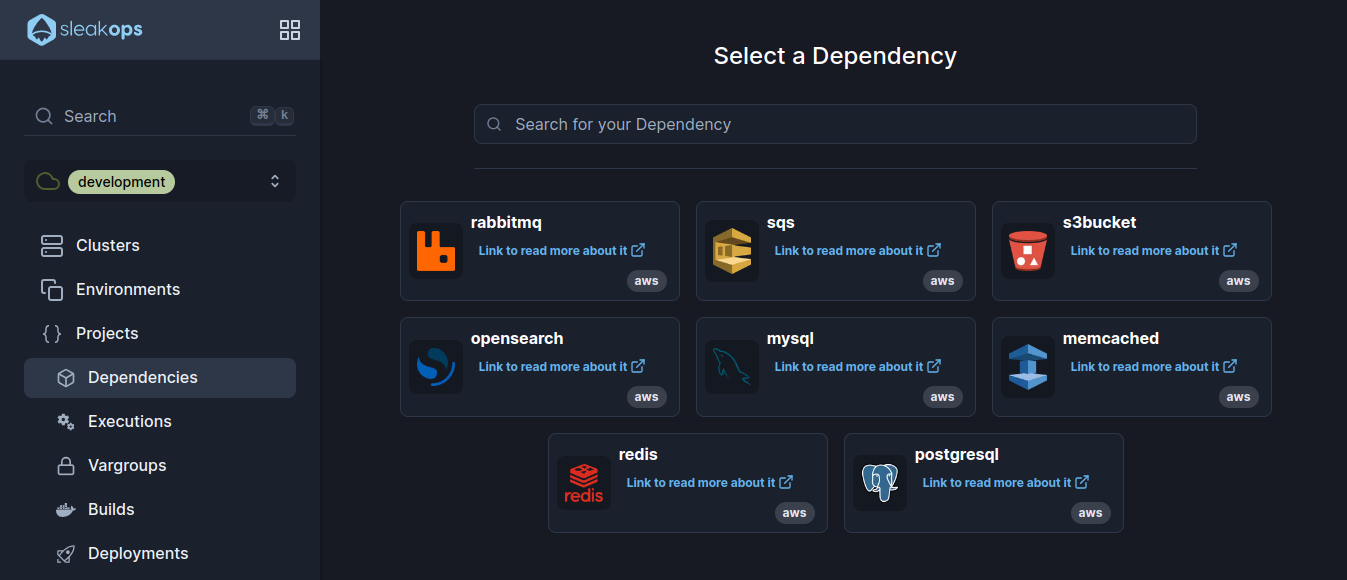
3. Select the kind of dependency you want to create
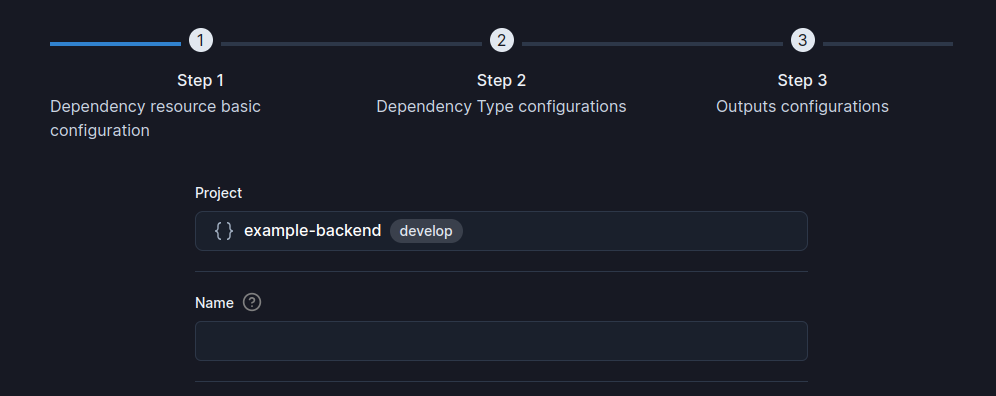
In Sleakops all dependecies start with the same step. So, complete these attributes and click Next to continue.
| Setting | Description |
|---|---|
| Name | Identify your Project. |
| Project | Select between the existent projects. |
4. Follow each dependency guide
To move forward choose between the following guides.
S3 Bucket. MySQL. PostgreSQL. Redis. Memcached. OpenSearch. SQS.
Dependency Access
Dependency access refers to the security and connectivity mechanisms that let your application's workloads interact securely with external dependencies. SleakOps automatically manages these access patterns to ensure secure communication between your services and their dependencies.
Access Management
Automatic Service Account Configuration
When you create a dependency, SleakOps automatically:
- Creates IAM roles with appropriate permissions for the specific dependency type
- Configures service accounts in your Kubernetes namespace
- Establishes secure connections between your workloads and the dependency
- Manages credentials through Kubernetes secrets and IAM roles
Network Security
- VPC Integration: Dependencies are created inside your project's VPC for secure network access
- Security Groups: Automatically configured to allow the traffic needed between services
- Private Endpoints: Dependencies use private endpoints when available to minimize exposure
Access Patterns
Database Access
For database dependencies (MySQL, PostgreSQL, etc.):
- Connection Strings: Automatically generated and stored as Kubernetes secrets
- Authentication: Managed through IAM roles and database-specific credentials
- SSL/TLS: Encrypted connections are configured by default
- At-Rest Encryption: Enabled by default on new dependencies
- You can turn it off or configure your own KMS key when you create it
- Aurora (PostgreSQL/MySQL) is always encrypted, with no way to opt out
- If the dependency was created before this improvement shipped, check the specific case: it may not be encrypted
- Connection Pooling: Optimized connection management for better performance
Cache Access
For caching services (Redis, Memcached):
- Endpoint Configuration: Automatically configured in your application's environment
- Authentication: Secure access through IAM roles and service-specific credentials
- Network Policies: Access restricted to authorized workloads only
Storage Access
For storage services (S3, etc.):
- Bucket Policies: Automatically configured with least-privilege access
- IAM Permissions: Service accounts receive only the permissions they need
- Access Keys: Managed through AWS IAM roles for greater security
Security Best Practices
Principle of Least Privilege
- Minimal Permissions: Dependencies receive only the minimum required permissions
- Resource-Specific Access: Access is scoped to specific resources whenever possible
- Regular Audits: SleakOps provides tools to review and audit dependency access
Credential Management
- Automatic Rotation: Credentials are rotated automatically when possible
- Secure Storage: All credentials are stored as Kubernetes secrets
- No Hardcoded Secrets: Applications access dependencies through environment variables
SleakOps provides monitoring and logging capabilities to track dependency access patterns, helping you identify potential security issues and optimize performance.
If you run into access issues with dependencies:
- Check the dependency's status in the SleakOps console
- Confirm your workload has the correct service account
- Review the IAM role permissions for the dependency
- Verify network connectivity and security group configurations