Pending Changes & Publishing
Not every change has to hit the cluster immediately. Whenever you save an edit with the Deploy? switch off — a Workload edit, a manifest customization, a values override, a Var Group update — SleakOps records it as a pending change instead of deploying it. Pending changes accumulate per environment until you review and publish them with one click.
How changes accumulate
Each Project environment holds at most one pending Release and one pending Deployment:
- Changes that affect the chart — Workloads, manifests, chart dependencies — create or update the pending Release, re-calculating its version and appending a line to the change list, with a pending Deployment pointing to it.
- Var Group changes only queue the pending Deployment: they update values, so the environment's current Release is reused instead of cutting a new chart version.
- Versions follow the chart's semver: creating or deleting a Workload bumps the minor; edits to Workloads, manifests or chart dependencies bump the patch.
- Publication is always manual — SleakOps never auto-approves pending changes.
- If someone triggers a direct deployment in the meantime, it supersedes the pending one: the pending Release and Deployment are discarded so the environment never carries stale queued changes.
The Publish badge
Environments with pending changes show a pink Publish badge:
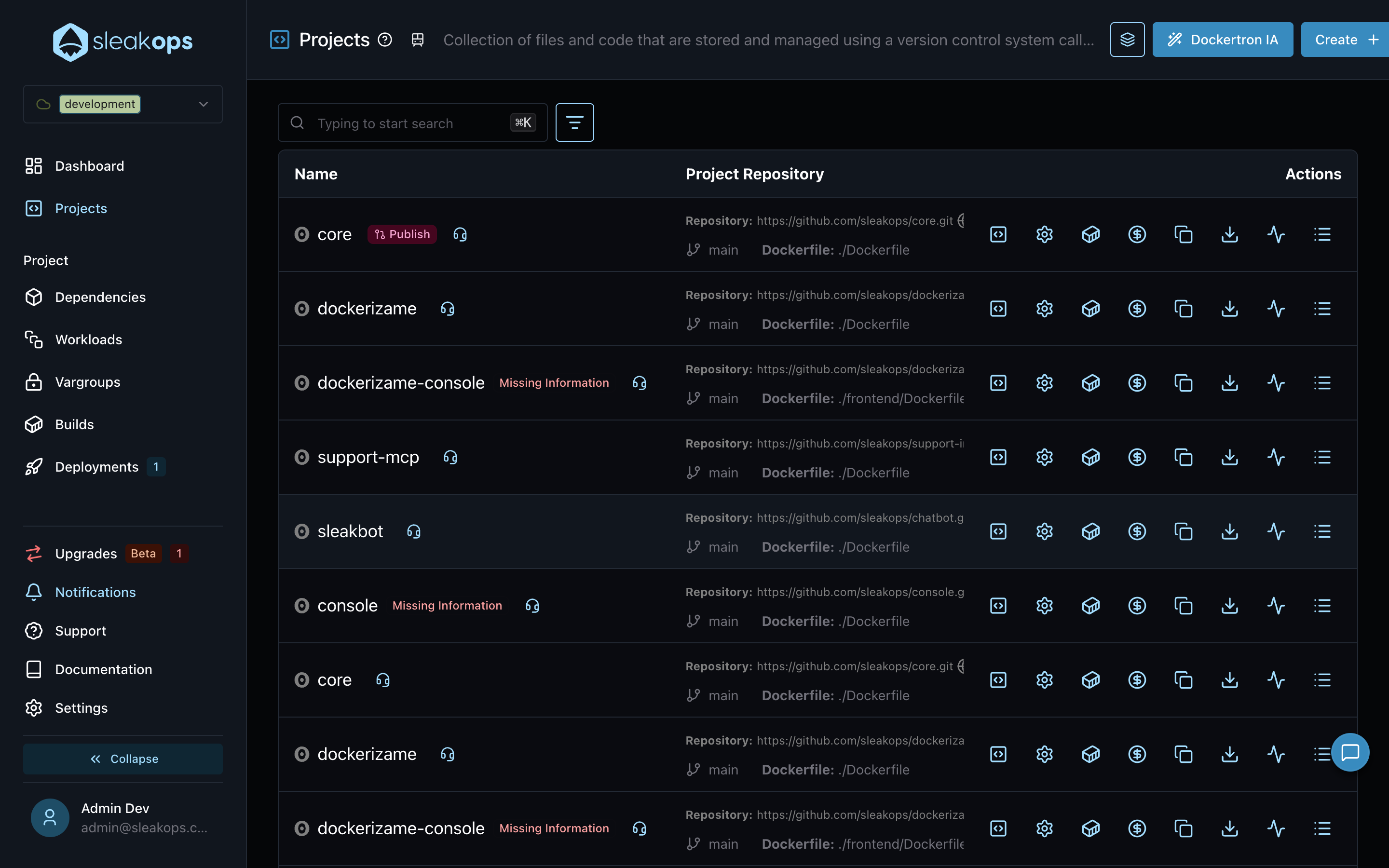
The badge appears in three places:
- The Projects list, on each environment row with pending changes.
- The Project dashboard header.
- The Deployments list, on the deployment whose state is
Pending Approval.
Review and publish
Clicking the badge opens the pending deployment's detail. The Pending Changes section lists every accumulated change, along with the pending Release version and how long ago the queue started:
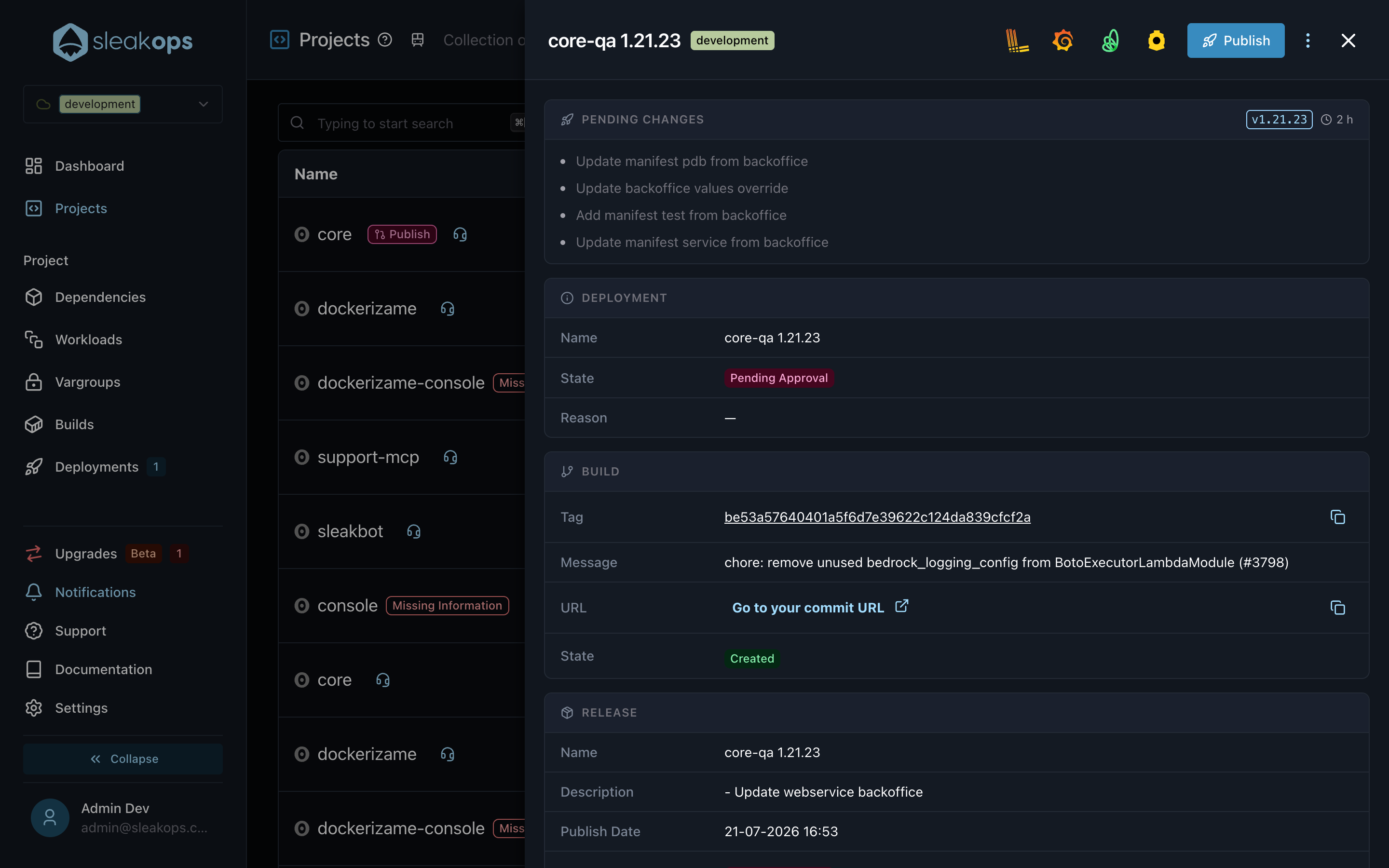
Press Publish to launch it. SleakOps publishes the pending chart Release (when there is one) and chains the deployment right after — you can follow its progress in the Deployments section. The badges disappear as soon as the deployment leaves the Pending Approval state.
Viewers can open the detail and read the pending changes, but only editors and admins can publish. The Publish button is also hidden when you're browsing an account in read-only mode.
FAQs
What creates a pending change?
Any edit saved with the Deploy? switch off: Workload create/edit/delete, manifest customizations and additions, values overrides, Var Group changes and chart dependency updates. Edits saved with the switch on deploy immediately instead.
Can I discard pending changes?
There is no explicit discard. Triggering a direct deployment (for example from a Build, or via the CLI) supersedes the pending Release and Deployment with the current state of the environment.
What if new changes appear after I publish?
Publishable changes made between the publish and the actual deploy cancel the deployment with a message asking you to publish them first — the cluster never receives a chart that is missing queued changes.
Why did my published deployment stay queued for a while?
Deployments wait for the environment to be consistent before executing: previous deployments finishing, Var Groups settling, Dependencies reaching a final state and the cluster being up. The deployment starts as soon as every gate passes.