Import a dependency
This page covers importing an existing resource. If you haven't connected your AWS infrastructure to SleakOps yet, start with Install SleakOps on your infra.
SleakOps can register a Dependency you already run in AWS — a database, a queue, a bucket — instead of creating one from scratch. Import discovers the real resources in an account and adopts the one you pick without modifying it.
Prerequisites
- An admin user in SleakOps.
- The import feature enabled for your company.
- An account in created state, where the resource lives.
Supported types
All 15 types below are supported for import. This table only indicates whether SleakOps needs credentials to connect — it isn't a support/not-supported column.
| Type | Credentials required |
|---|---|
| PostgreSQL | Yes |
| MySQL | Yes |
| MariaDB | Yes |
| Oracle | Yes |
| Aurora MySQL | Yes |
| Aurora PostgreSQL | Yes |
| DocumentDB | Yes |
| RabbitMQ | Yes |
| MSK | Only for SASL/SCRAM |
| S3 bucket | No |
| SQS | No |
| Redis | No |
| Valkey | No |
| Memcached | No |
| OpenSearch | No |
Discover and import
On the Dependencies list, click Import Dependency next to Create.
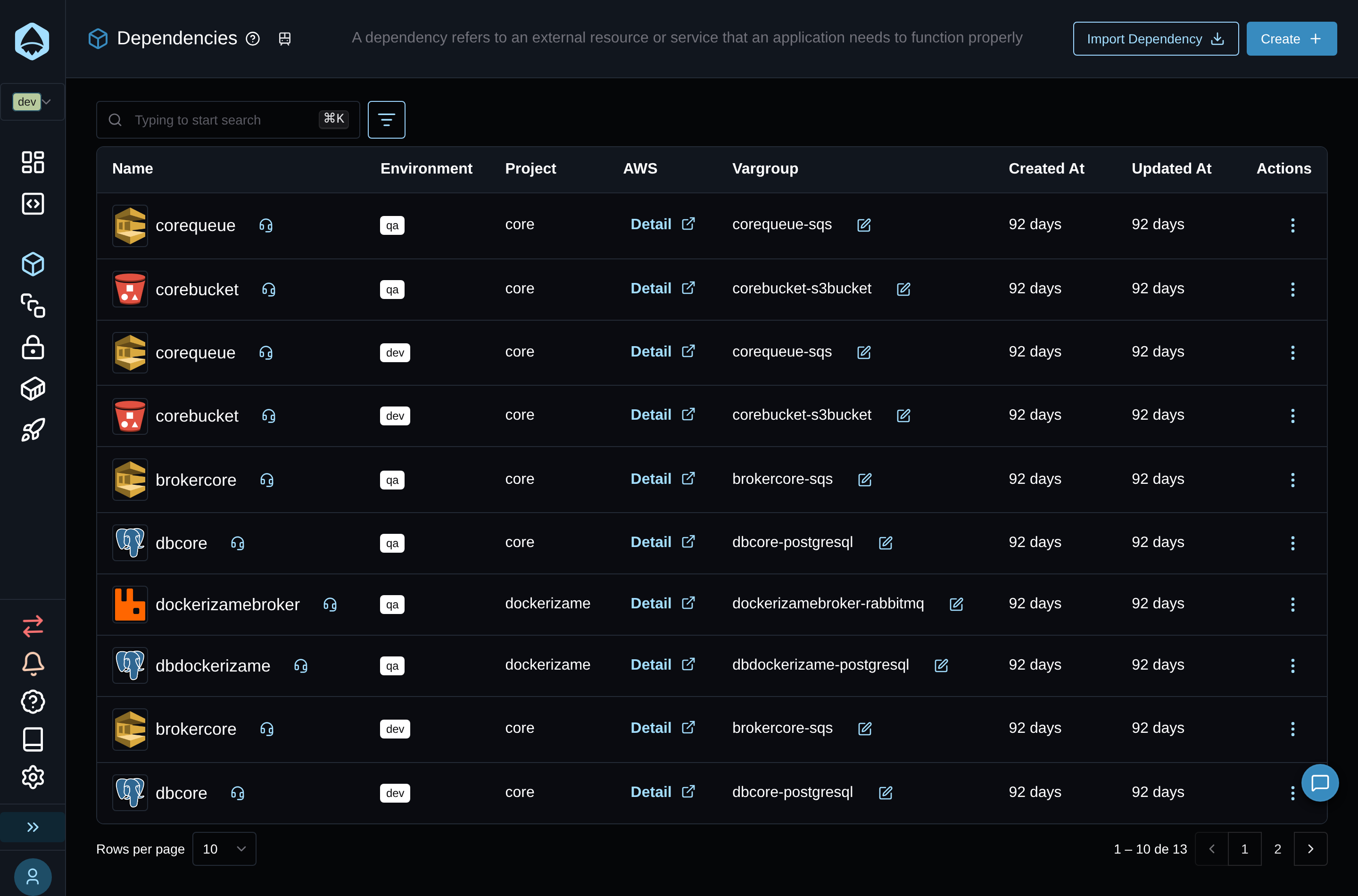
The button opens a 4-step dialog.
1. Choose the type of resource
Search and pick one of the supported types above.
2. Choose the account
Select the account where the resource lives. Only accounts in created state are listed.
3. Discover
SleakOps lists the real resources of that type it found in the account — name, engine version (or the relevant attributes for non-database types), and status. A resource already registered in SleakOps shows dimmed and disabled, with a tooltip explaining it's already managed.
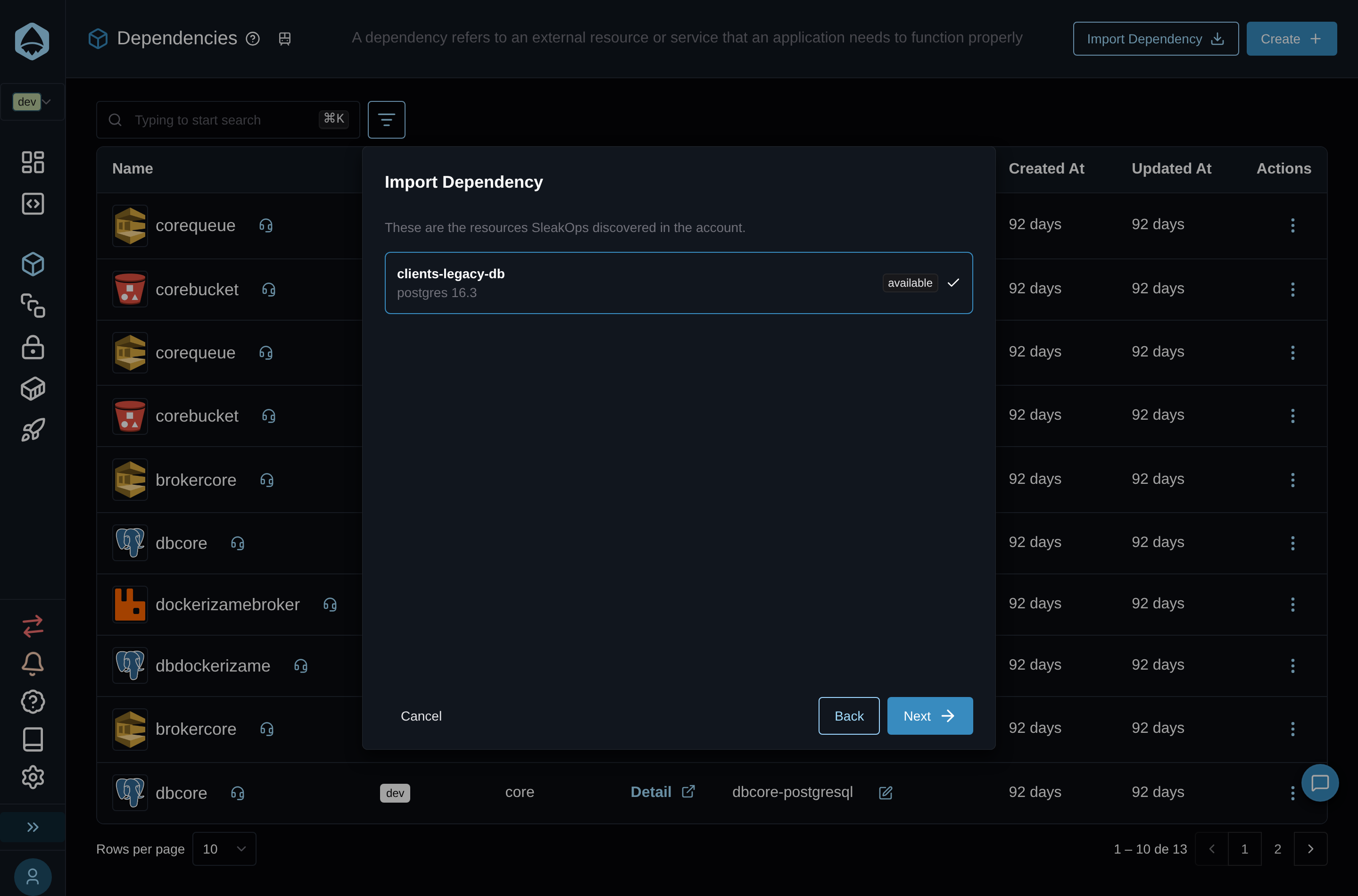
4. Name, project and credentials
Enter a Name and pick the Project (shown as <project> (<environment>)) to attach the dependency to. For types that require credentials, enter the Username and Password SleakOps should use to connect — AWS never exposes the master password of an existing instance, so these values aren't discovered automatically.
Depending on the type and the resource, the step also shows:
- Connection string (PostgreSQL, MySQL, MariaDB, Oracle, Aurora, DocumentDB) — an optional shortcut: paste the URI your applications already use and click Fill fields to fill the fields from it. Review them before importing; the string itself isn't sent to SleakOps.
- Database Name (PostgreSQL, MySQL, MariaDB, Oracle, Aurora) — required only when AWS reports no initial database name for the resource. Enter the database your applications connect to.
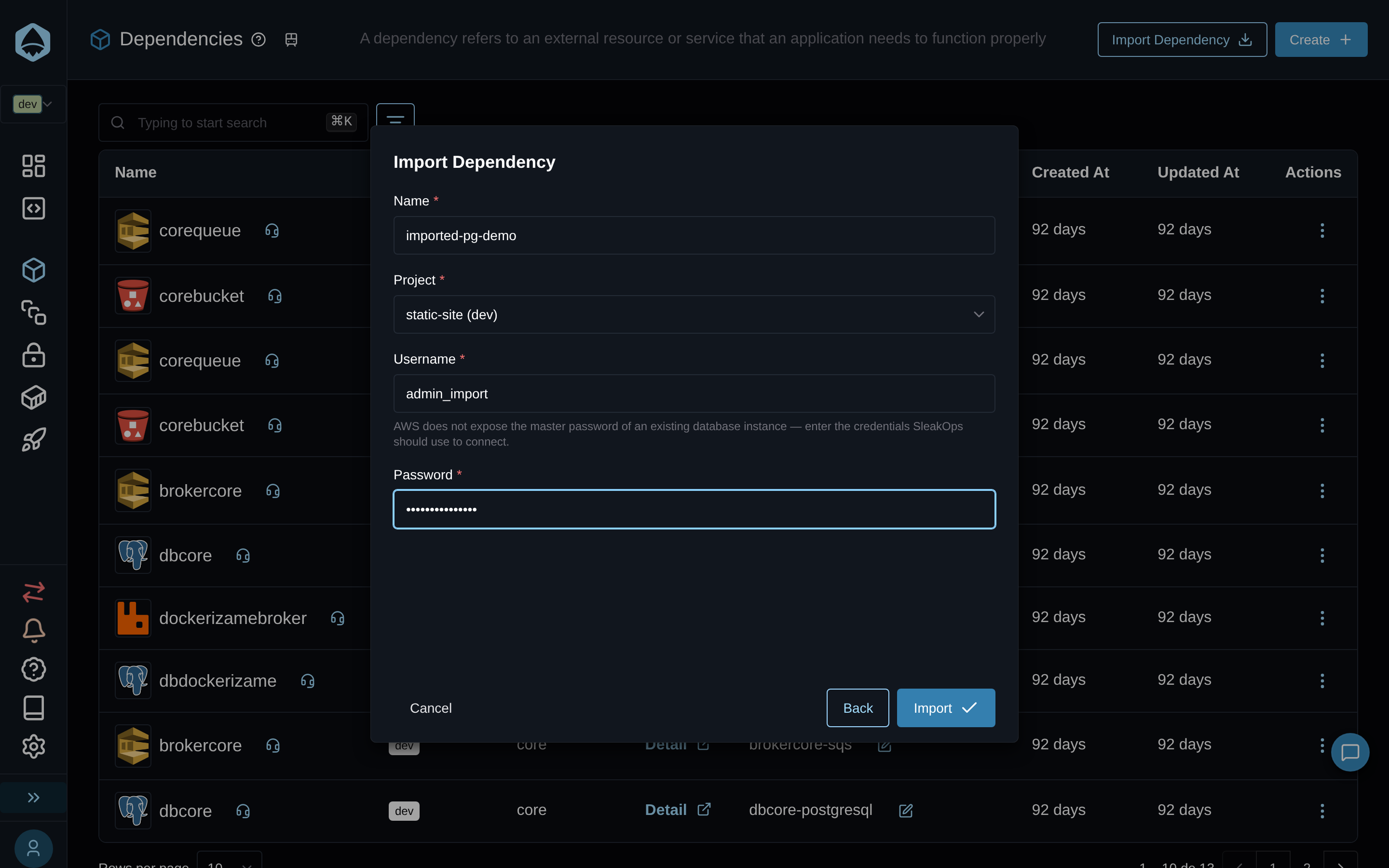
Click Import to start the registration. SleakOps adopts the resource into its infrastructure state without modifying it, and you can follow the progress from the dependencies list. The import also creates a Var Group named <name>-<type> (for example orders-postgresql) holding the dependency's connection outputs, so the project's workloads can use them.
After importing
Imported dependencies can't be edited: SleakOps doesn't manage the resource, so the API answers "Imported dependencies cannot be edited: SleakOps does not manage the resource." Changes to the resource itself are made in AWS.
FAQs
Does importing modify the resource?
No. SleakOps adopts the resource into its infrastructure state without modifying it — it only registers what's already there.