Configure the network
Once an account's CloudFormation stack has run, SleakOps needs to know which VPC, subnets and gateways to use before it can deploy a cluster into it. This step maps that existing AWS network to the inputs SleakOps requires.
Find accounts waiting on network configuration
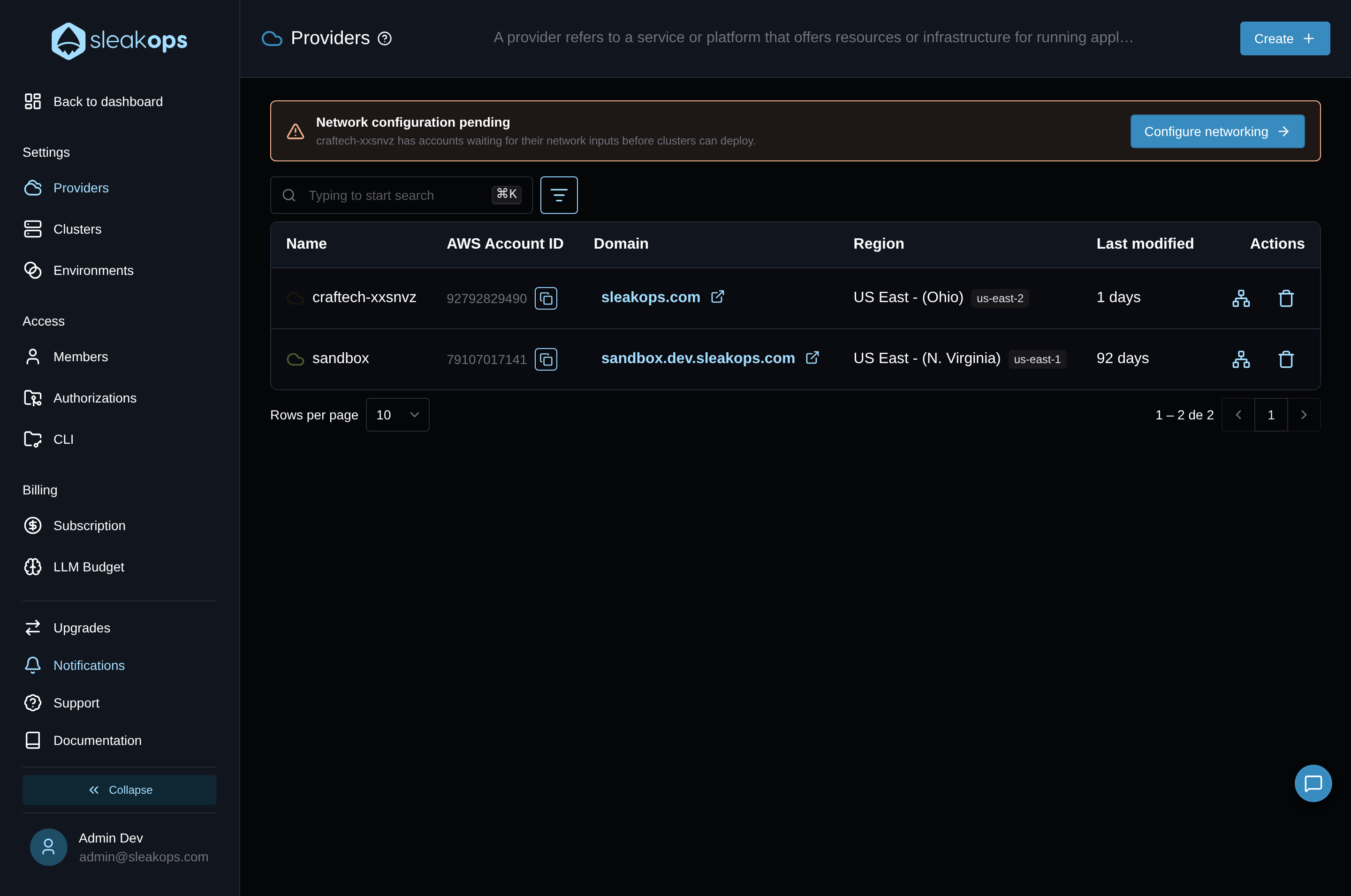
If you have accounts still waiting on network configuration, you'll see an alert for it on the Providers list. The banner reads Network configuration pending and names the provider with pending accounts. Its Configure networking button takes you straight to that account's network configuration form in Accounts & Networking. Only admins see this alert.
Select the VPC
The account's detail panel opens on a single required field: VPC. The dropdown lists every VPC SleakOps discovered in the account, as <name or id> · <cidr_block>.
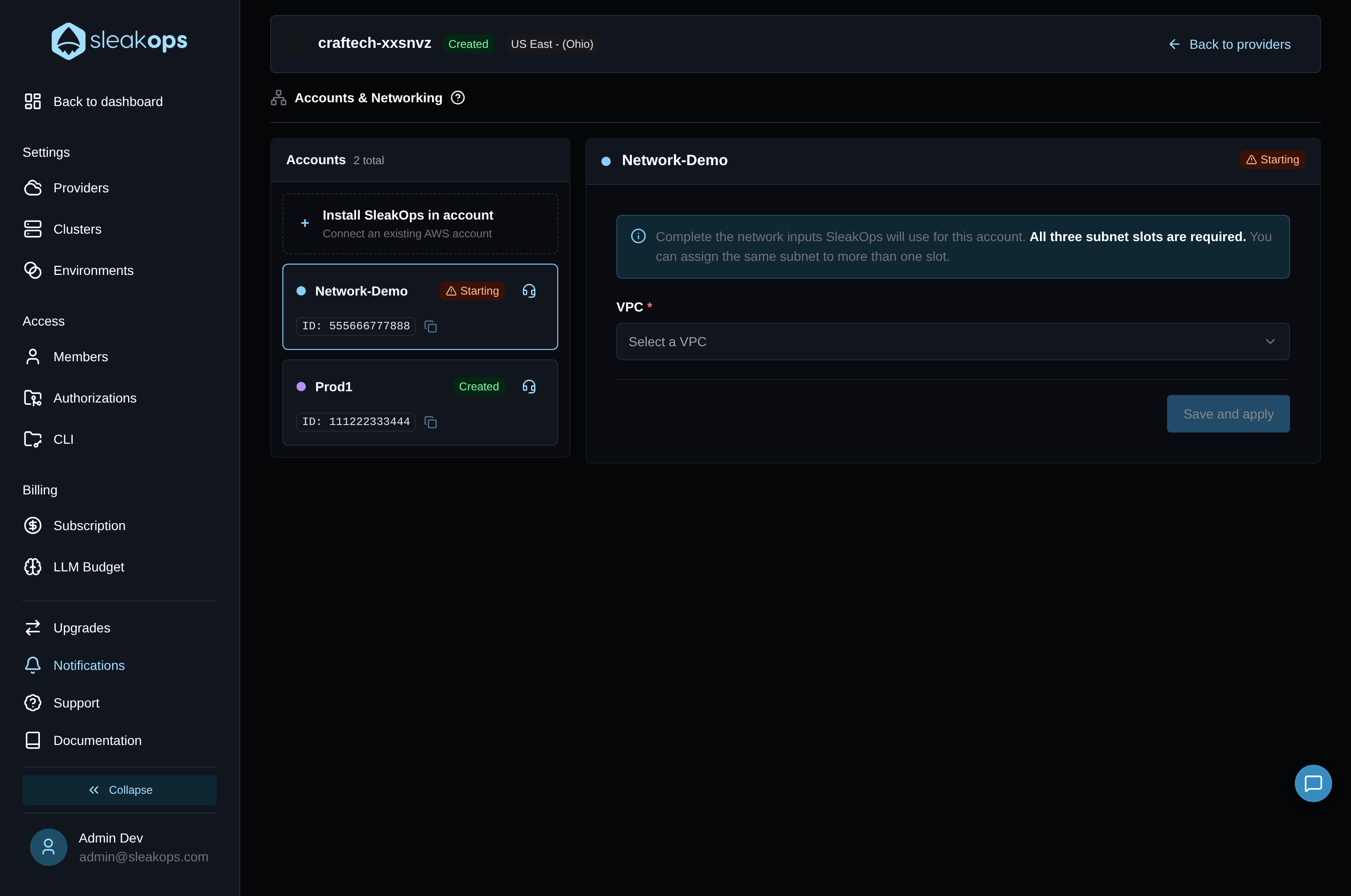
SleakOps discovers the account's whole network topology once, when the form opens (Discovering network topology…). Selecting a VPC then narrows the subnets, NAT Gateways and Internet Gateways shown below to the ones in that VPC.
Assign subnets to slots
| Setting | Description |
|---|---|
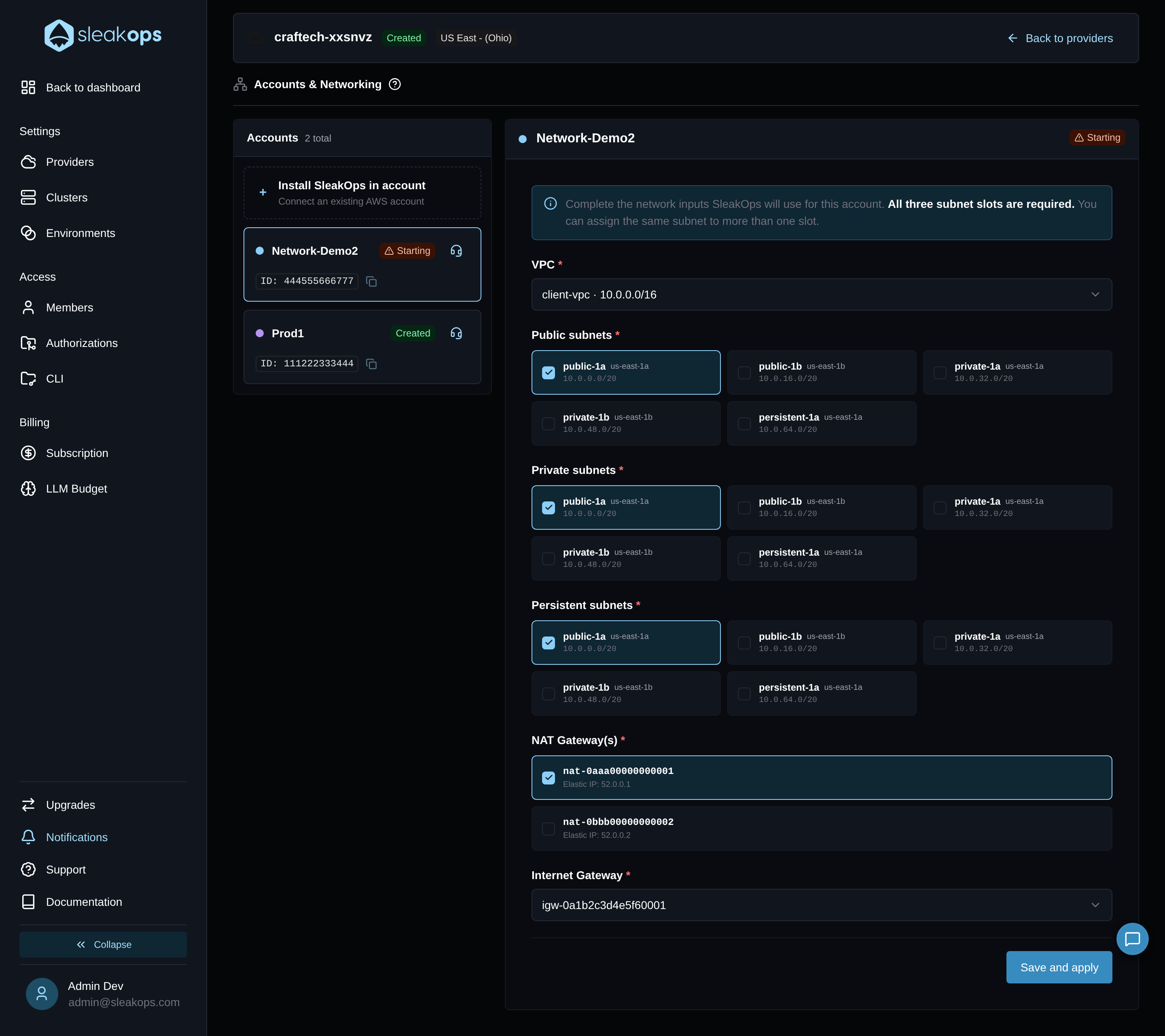
| Public subnets | Subnets with a route to the Internet Gateway. |
| Private subnets | Subnets that reach the internet through a NAT Gateway. |
| Persistent subnets | Subnets for stateful resources (databases, storage). |
All three slots are required — each needs at least one subnet. The descriptions above are guidance: SleakOps doesn't check the subnets' routes. The same subnet can be assigned to more than one slot.
Gateways
- NAT Gateway(s) — select at least one. If the VPC has no NAT Gateway at all, SleakOps shows This VPC has no NAT Gateways.
- Internet Gateway — a single required dropdown. If the VPC has none, SleakOps shows This VPC has no Internet Gateway attached.
Each NAT Gateway's Elastic IP is taken automatically from AWS — there's no field to pick it separately. A NAT Gateway without one is flagged with This NAT Gateway has no Elastic IP attached.
Submit and import
Save and apply stays disabled until all three subnet slots, at least one NAT Gateway with an Elastic IP, and the Internet Gateway are set. Once you submit, the account moves to Creating… while SleakOps applies the configuration — the panel switches to the network explorer automatically when it finishes.
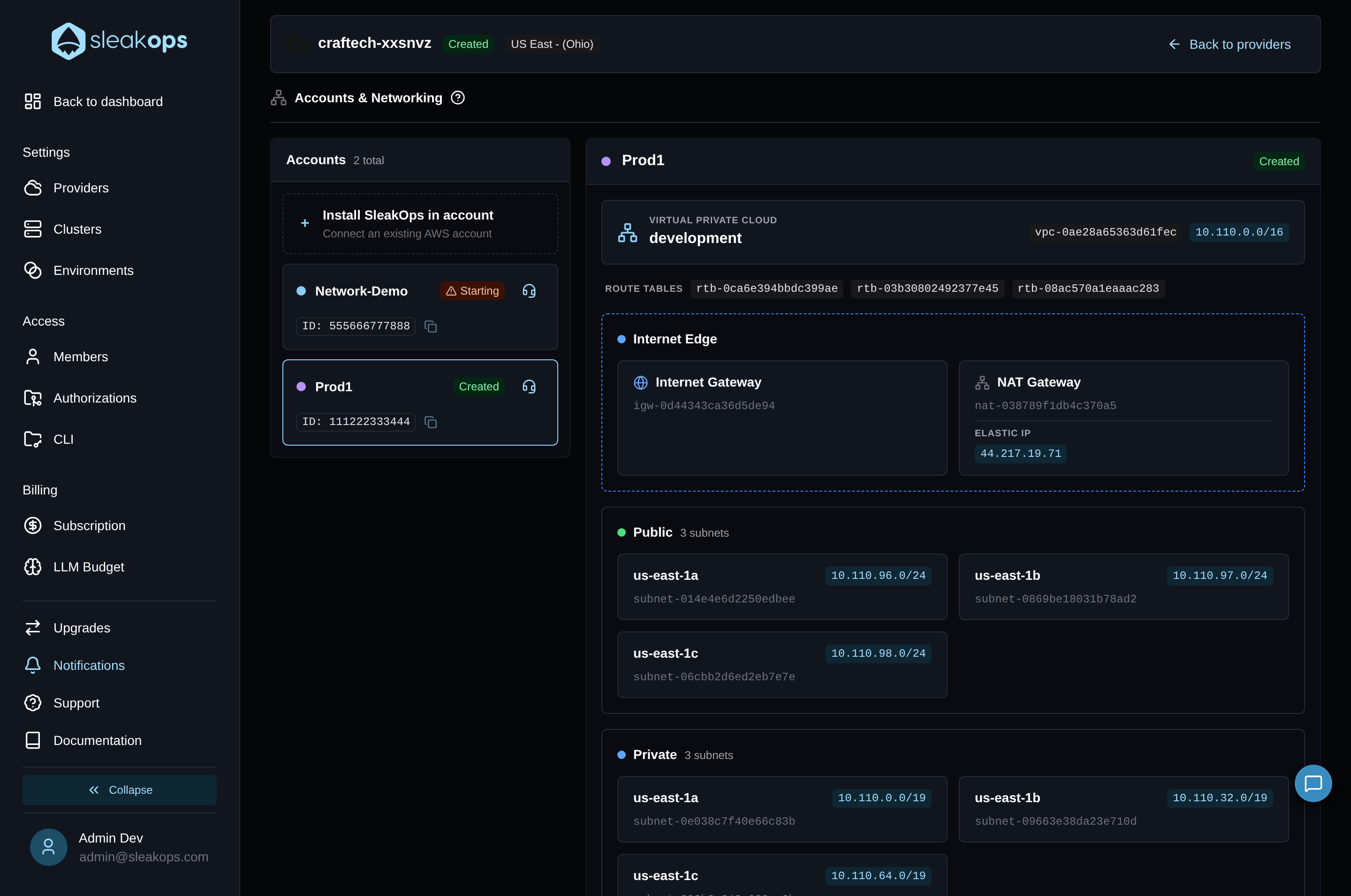
The network explorer is a read-only view of the imported network: the VPC, its route tables, the Internet Edge (Internet Gateway, NAT Gateway and its Elastic IP), and the subnets grouped by Public, Private and Persistent.
From here, the account is ready to import its cluster.