AI Reports
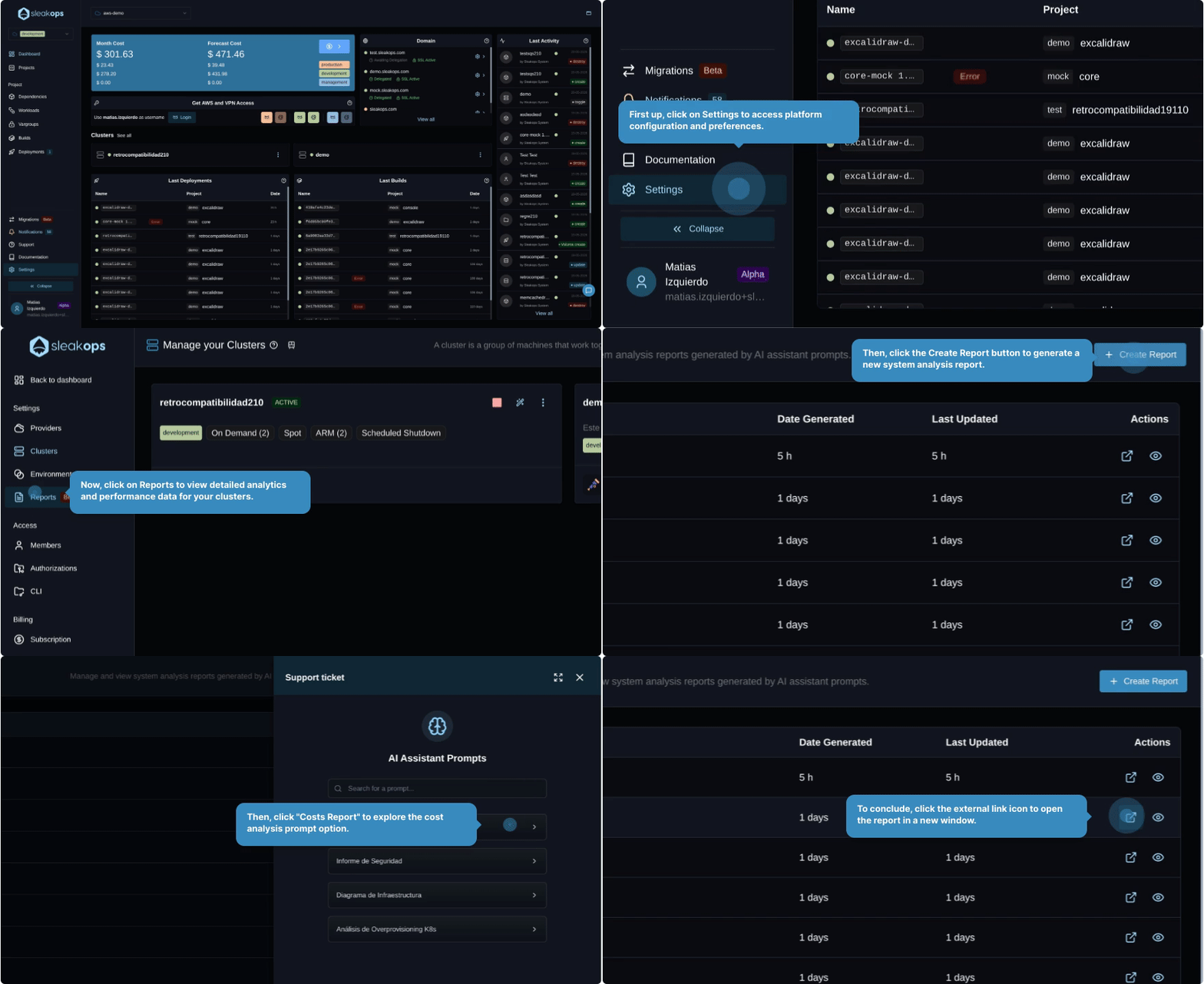
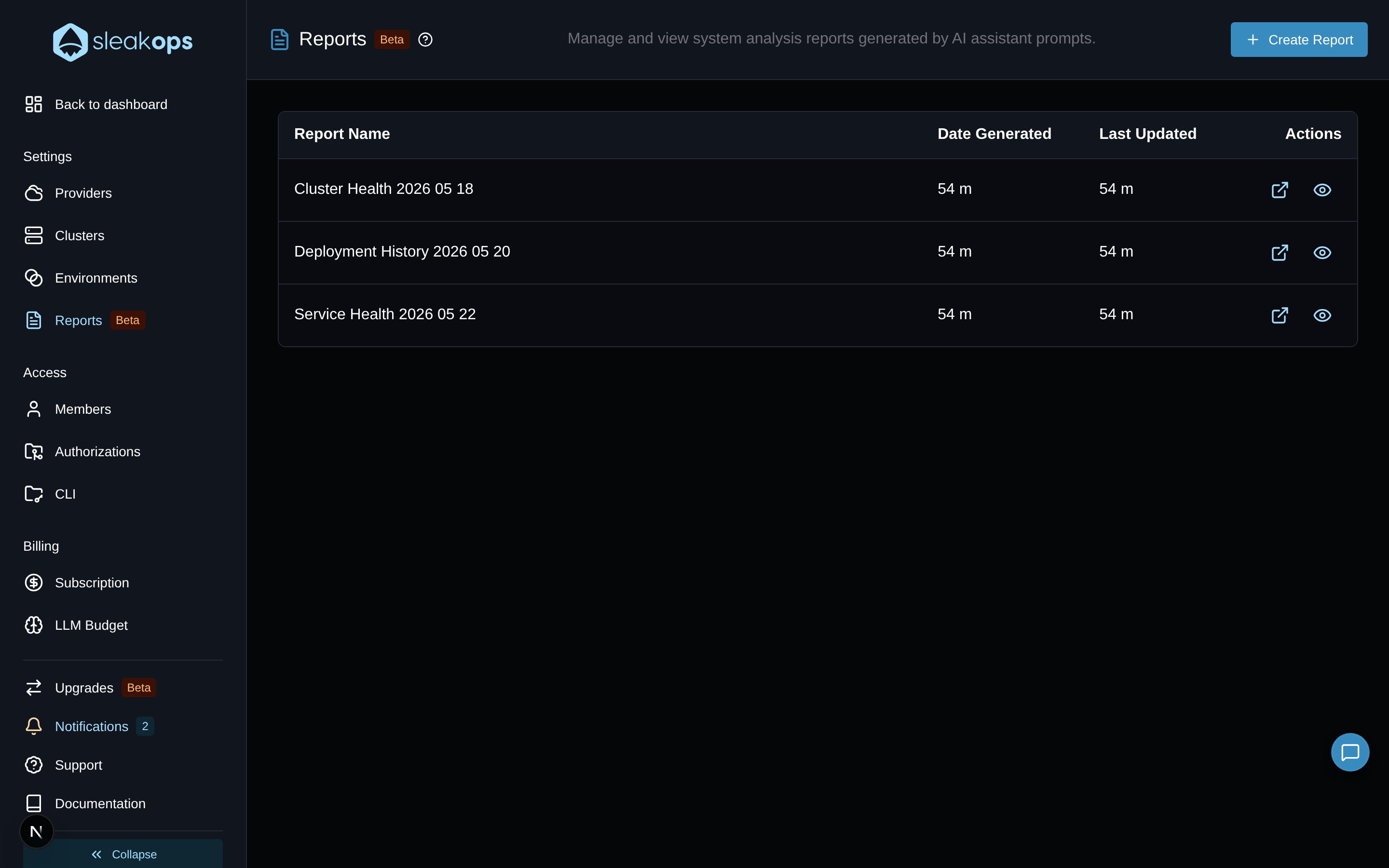
AI Reports generate on-demand diagnostic summaries of your infrastructure. Click Create Report, select a pre-defined AI prompt, and get a structured analysis — root causes, affected resources, and recommended actions — based on your actual environment state.
AI Reports is currently in Beta. The prompt catalog and output format are actively evolving.
FAQs
Where do I find AI Reports?
AI Reports live inside Settings → Reports (/reports/). Navigate to Settings from the sidebar and select Reports from the left menu.
How do I generate a report?
- Navigate to Settings → Reports.
- Click + Create Report.
- A panel opens showing AI Assistant Prompts — a searchable catalog of pre-defined analysis prompts.
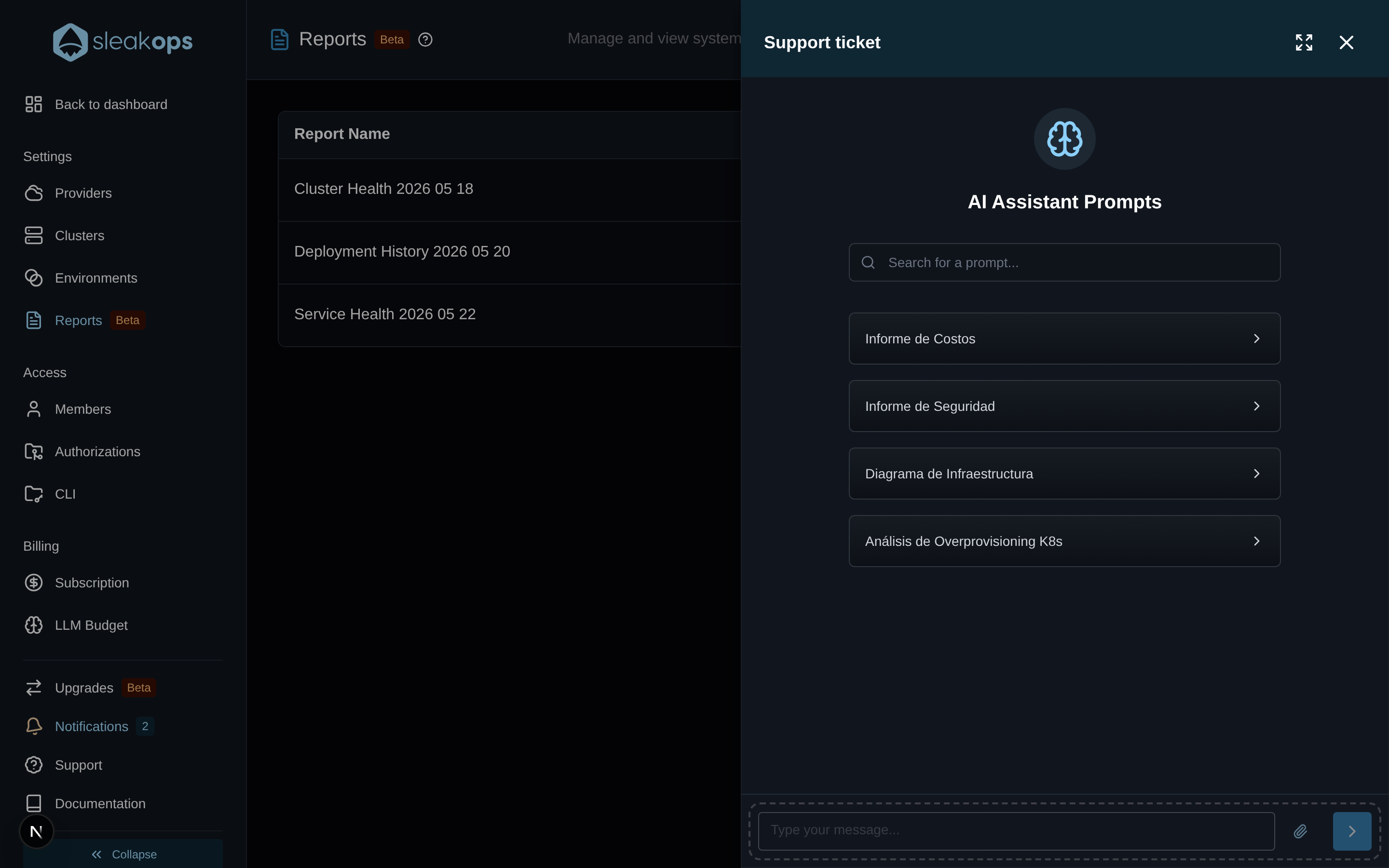
- Select a prompt from the catalog or type in the message field to ask a custom question.
- The AI generates a structured report based on your live infrastructure state.
What prompts are available?
The Reports catalog includes pre-defined prompts for common operational questions such as service health, deployment history, dependency availability, and resource utilization. Use the search box in the AI Assistant Prompts panel to find the prompt that matches your situation.
You can also type a free-form question directly in the message field at the bottom of the panel.
How is a Report different from Autodiagnostics?
| Autodiagnostics | AI Reports | |
|---|---|---|
| Trigger | Activated from a specific resource with an issue | Manual, on demand from Settings → Reports |
| Scope | Single resource | Configurable — resource, environment, or cluster |
| Focus | "What broke and why?" | "What is the state of X across Y?" |
| Output | Root cause + fix suggestion | Structured analysis with context |
Use Autodiagnostics when something is already broken. Use Reports to proactively understand the state of your infrastructure.
Are reports saved?
Yes. Generated reports are saved in the Reports list and can be revisited at any time from Settings → Reports.