Import and export addons
This page covers importing an existing resource. If you haven't connected your AWS infrastructure to SleakOps yet, start with Install SleakOps on your infra.
Addons can move in and out of SleakOps in two ways: importing a JSON definition exported from another cluster, or discovering and adopting a Helm release already running in the cluster. Both buttons sit on the Addons list next to Add custom addon, and both only appear when your company has the generic (custom Helm chart) addon type registered. From there the two flows differ in scope: Import from JSON and Export JSON work with any addon type registered in the cluster — SleakOps Managed (Grafana, KEDA, …) or custom — while Import from cluster always adopts the release as a custom addon.
Prerequisites
- An admin user in SleakOps. Editors also see the buttons, but SleakOps rejects the import or export with a permission error.
- The import feature enabled for your company.
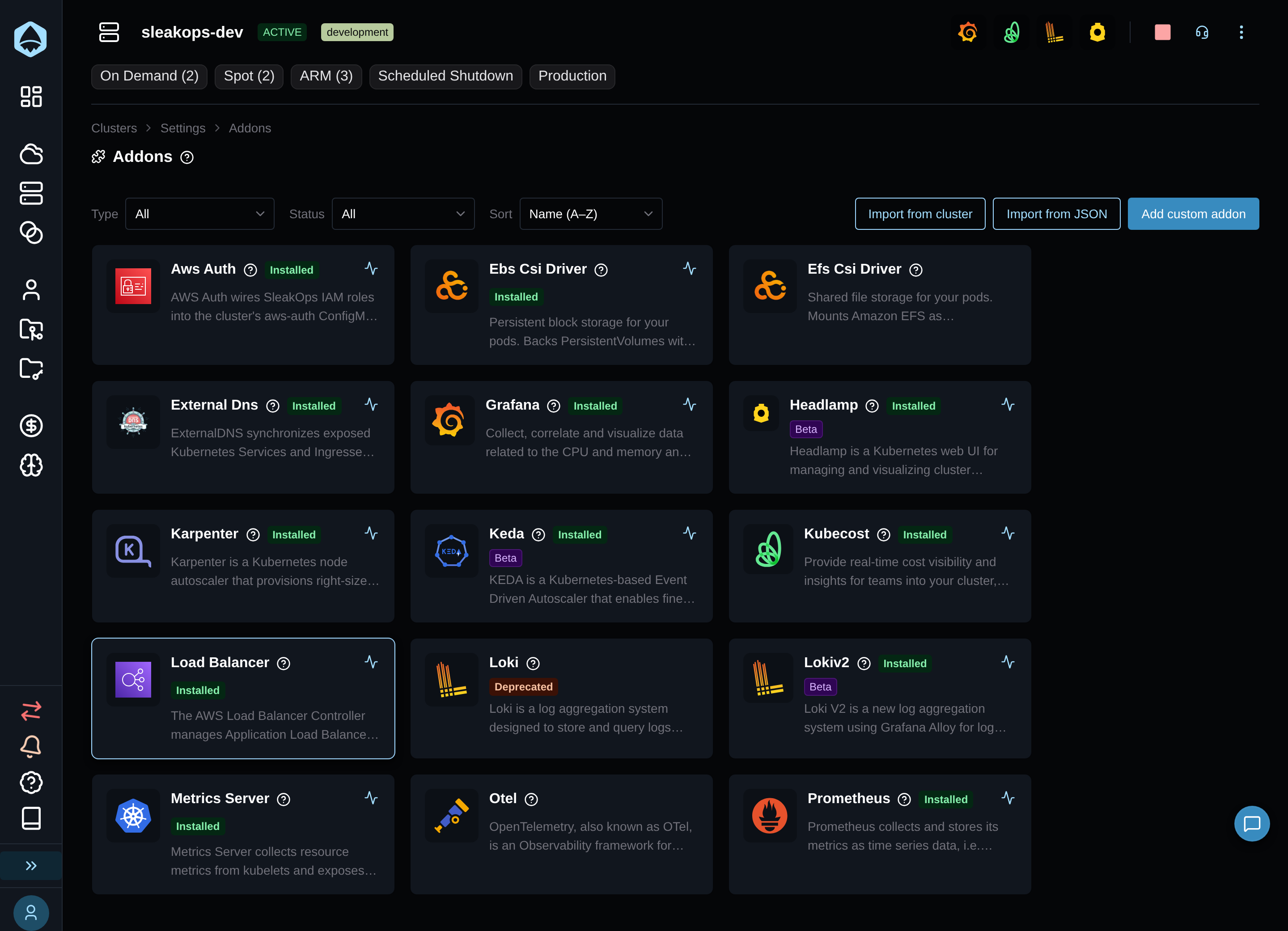
Import from JSON
Click Import from JSON to paste a definition exported from another cluster:
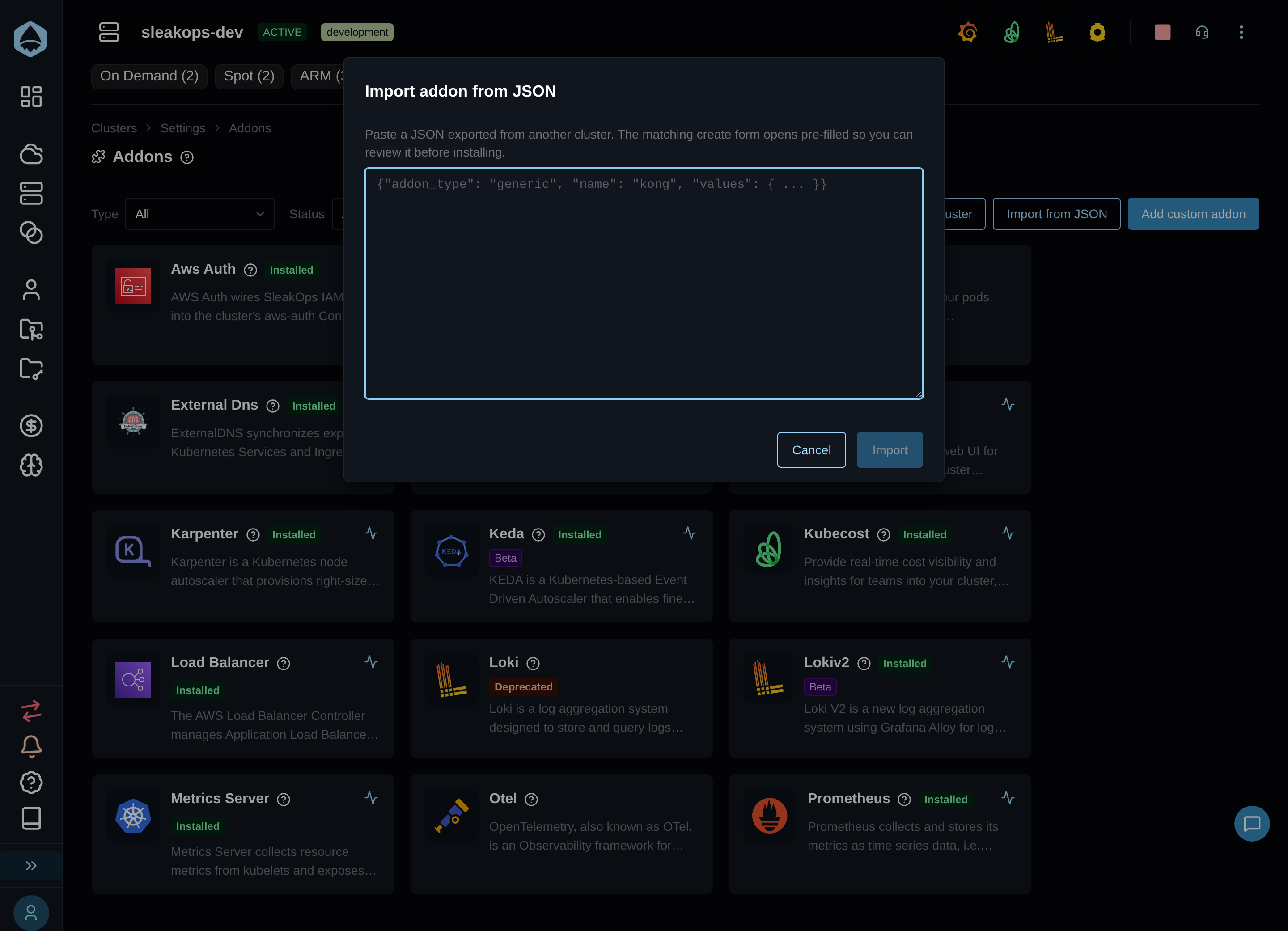
Paste the JSON and click Import. SleakOps validates it before opening the form:
- Invalid JSON: "Invalid JSON. Paste a valid addon export."
- Missing shape: 'The JSON must include a string "addon_type" and an object "values".'
- A type the cluster doesn't have registered:
Addon type "<type>" is not available in this cluster.
Once it validates, the matching addon's create form opens pre-filled from the pasted values (and name, if present) — nothing is locked, so you can change anything before installing. The submit button reads Import instead of Install as a reminder that these are starting values, not a fresh default configuration.
This pairs with Export JSON, available on any installed addon's detail view — SleakOps Managed or custom — once it's in created state (same access requirement). It copies the addon's portable JSON to the clipboard and downloads it as <addon-name>.addon.json — that file is what you paste into Import from JSON on the destination cluster.
Import from cluster
Click Import from cluster to discover the Helm releases already running in this cluster:
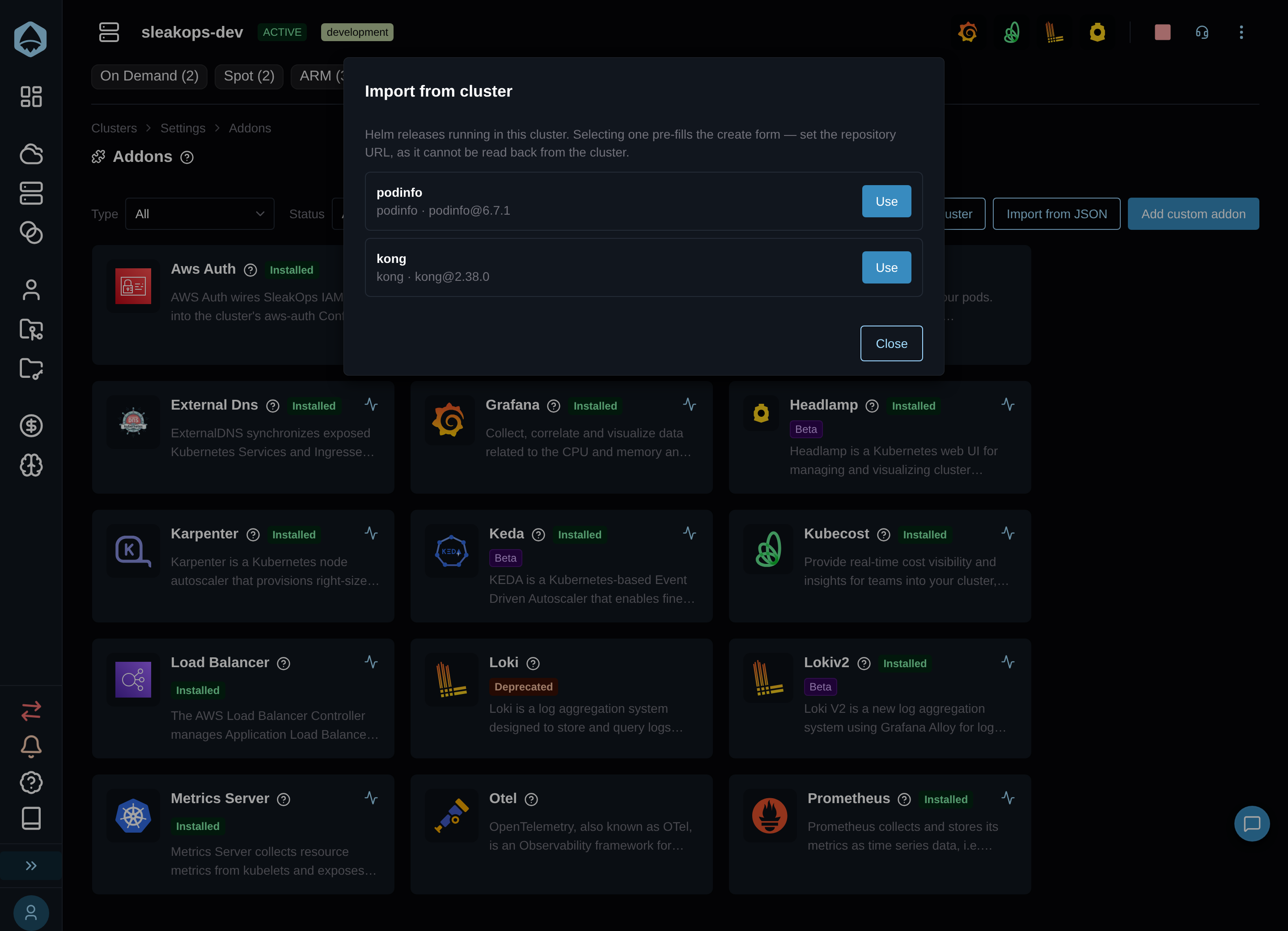
Each release shows its name, namespace, chart, and version. While discovery runs: "Loading releases…"; if it can't reach the cluster: "Could not load Helm releases from the cluster."; if none are found: "No Helm releases found in this cluster."
Click Use on a release to pre-fill the generic addon form with its release name, namespace, chart, version, and current Helm values. Unlike the JSON flow — which can target any addon type — this always creates a custom (generic) addon, and it adopts a live resource rather than just starting from a set of values: the release name, namespace, chart, and version are locked (read-only) because they must match what's actually running. Repository URL is the one field left blank and editable — the chart's repository URL can't be recovered from a live release, so you type it in yourself.
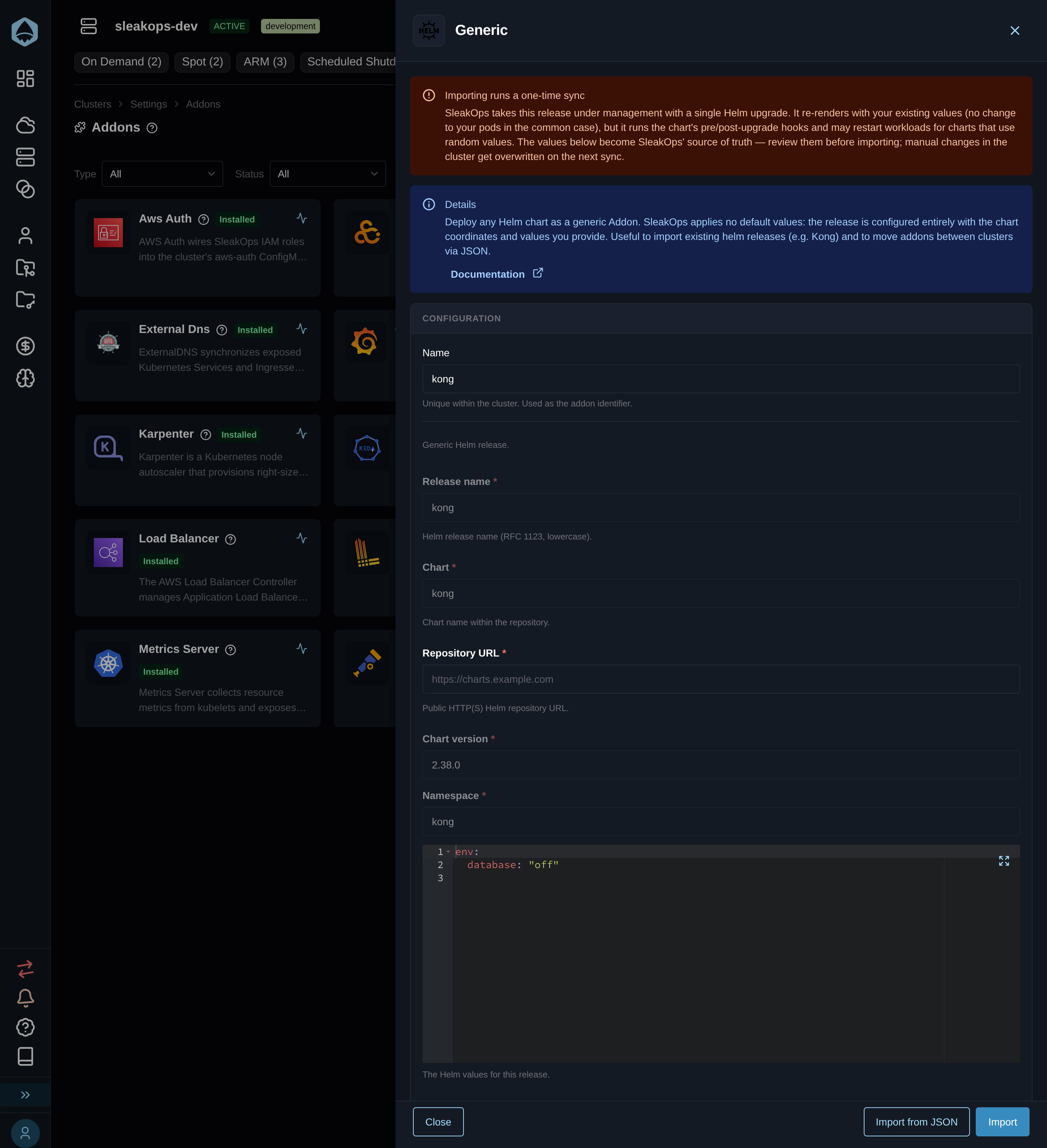
Click Import to adopt the release under SleakOps management.