Importing a Node Pool
This page covers importing an existing resource. If you haven't connected your AWS infrastructure to SleakOps yet, start with Install SleakOps on your infra.
SleakOps can bring an existing Karpenter node pool under management instead of creating one from scratch. Import discovers the live node pools running in your cluster and lets you adopt one as-is.
Prerequisites
- An admin user in SleakOps.
- The import feature enabled for your company.
Discover and import
From the Cluster Listing, select a cluster and access its Settings, then click on Node Pools. If the prerequisites above are met, an Import Node Pool button sits next to Create.
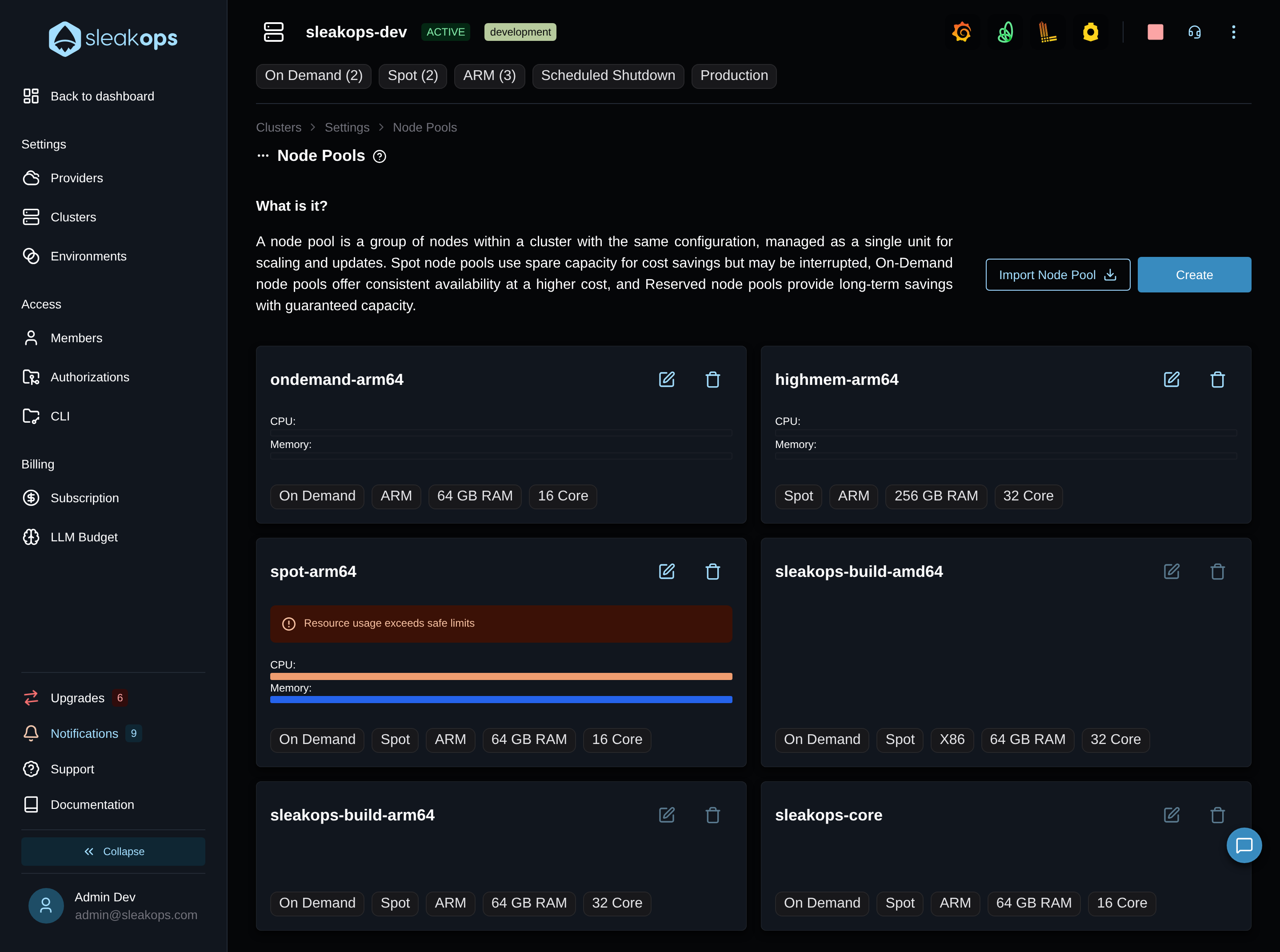
Discover
Clicking it opens a dialog that lists the live Karpenter node pools running in the cluster that SleakOps doesn't manage yet:
- While the search runs: "Discovering Karpenter node pools…"
- No unmanaged node pools found: "No unmanaged Karpenter node pools were found in this cluster."
- The cluster isn't reachable: "Could not list the Karpenter node pools of this cluster. Check that the cluster is reachable and try again."
A node pool whose name doesn't match SleakOps' naming rules (lowercase alphanumerics with single hyphens, up to 50 characters) can't be adopted and appears disabled with an Unsupported name badge — the pool's name becomes the NodePool's name in SleakOps and can't be edited afterward. A pool whose EC2NodeClass is used by other pools shows a Shared NodeClass badge. View manifest shows the live pool's YAML.
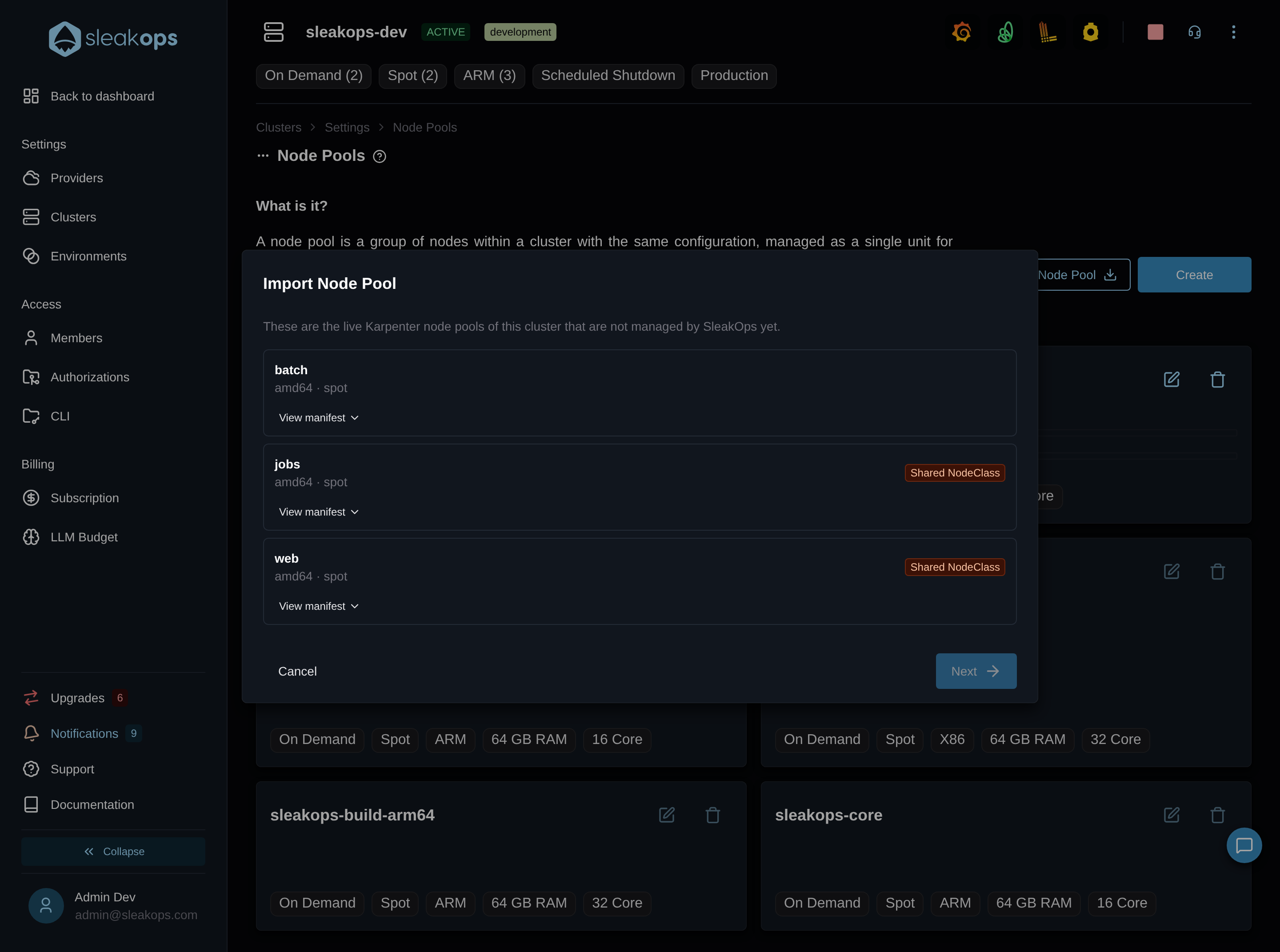
Review
Select a node pool and move to the next step: "Review the configuration mapped from the live pool. It is adopted exactly as it runs today, even where its values fall outside the SleakOps ranges, so the fields are read-only — edit the pool once it is yours."
SleakOps pre-fills the same form used to create or edit a node pool with the values discovered on the live pool — architecture, node types, instance types, CPU and memory limits, node storage, and its dedicated taint if the pool has one.
After importing
What happens to the live pool depends on the cluster:
- Cluster provisioned by SleakOps — the pool's EC2NodeClass is cloned under the pool's name and existing nodes rotate gradually, respecting PodDisruptionBudgets and disruption budgets.
- Imported cluster — the pool keeps the EC2NodeClass it already references. Nothing is cloned and no node rotates.
In both cases SleakOps becomes the source of truth for the pool, and you can follow the progress in the node pools list. An imported node pool can't be deleted from SleakOps yet ("This NodePool was imported from the cluster. Deleting an imported NodePool is not supported yet.").